
Last updated: October 5, 2026
The transcript exists. Nobody read it. The action items were never assigned. The follow-up email went out two days late. AI meeting assistants in 2026 are designed to fix exactly this gap — but they vary considerably in how well they do it, what they cost, what happens to your recordings once they leave your device, and whether you even need one when Zoom or Teams may already include a capable option you are paying for and ignoring.
How we checked this (October 5, 2026)
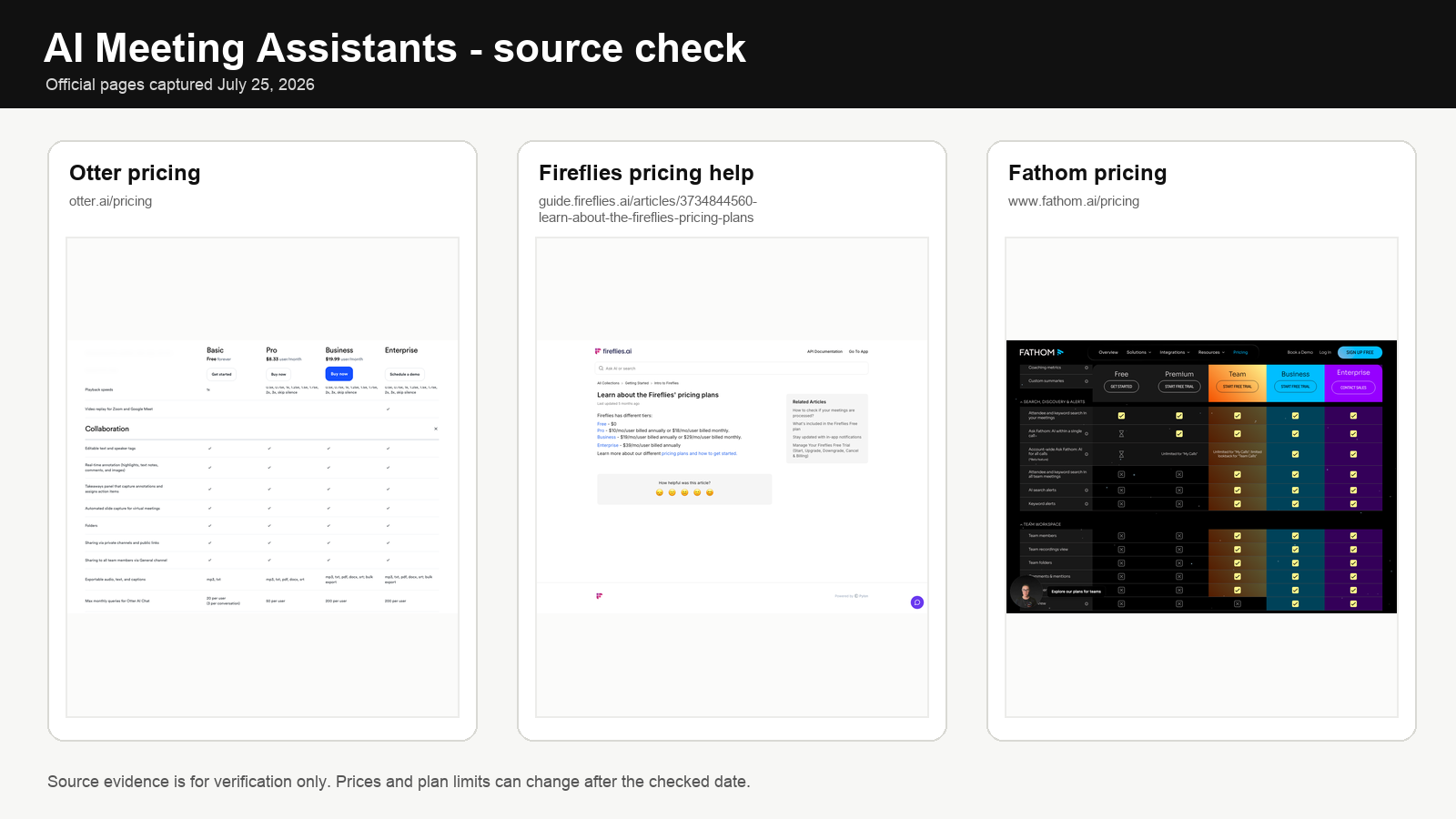
We rechecked the current official pricing and product pages for Fathom, Otter, Fireflies, Read AI, Avoma, Zoom, Microsoft 365 Copilot, and Granola. We used first-party product and help pages, not affiliate roundups. Prices, plan names, platform support, and limits can change after the checked date.
This guide compares the main tools with real 2026 pricing, platform coverage, bot-vs-no-bot workflow differences, privacy and consent tradeoffs, meeting-type fit, team-size fit, overlap traps, and decision rules for when the native assistant is enough and when a dedicated tool actually pays for itself.
Best AI meeting assistants in 2026: quick picks
For most individuals on Zoom/Meet/Teams: Fathom free is the clearest starting point — unlimited recordings, instant summaries, $0. For small teams on multiple platforms: Fireflies Pro at $10/seat annual ($18 monthly). For searchable transcript recall: Otter Pro at $8.33/mo annual ($16.99 monthly). For sales coaching and deal intelligence: Avoma starts at $19/recorder seat annual ($29 monthly), with add-ons priced separately. For Microsoft 365 orgs: Microsoft 365 Copilot Business currently starts at $18/user on annual billing ($25.20 monthly, qualifying Microsoft 365 plan required). For eligible paid Zoom plans: Zoom AI Companion is already included — check before adding another subscription.
For adjacent workflows: AI note-taking apps, AI tools for freelancers, top AI tools, and ChatGPT vs Claude vs Gemini.
The decision that matters first: native or dedicated?
Before comparing Fathom against Fireflies against Otter, the cheaper and more important decision is whether you already have a capable meeting assistant included in a subscription you pay for. Skipping this step is the single most common way small teams waste money in this category.
| You already pay for | Native assistant included | When native is enough | When to add a dedicated tool |
|---|---|---|---|
| Zoom Workplace (paid plans from about $14.16/user/mo) | Zoom AI Companion (included) | Zoom-only meetings, summaries good enough, no CRM sync needed | You work across Meet/Teams too, need CRM auto-sync, or want highlight clips |
| Microsoft 365 Business/Enterprise | Copilot Business (promotional $18/user annual through Dec. 31, 2026; $25.20 monthly) | Teams-only meetings, recap flows into Outlook/Word naturally | External clients on Zoom/Meet, need cross-meeting search across tools |
| Google Workspace Business Standard+ ($14-22/mo) | “Take notes for me” in Meet with Gemini | Meet-centric team, light note needs, Docs-based follow-up | Multi-platform calls, need speaker analytics or deal intelligence |
| Nothing (free Zoom / Meet) | None usable | Never | Start with Fathom free, upgrade only when you hit limits |
The practical rule: if a native assistant is already in your plan and 80% of your meetings happen on that platform, do not buy a third-party tool to cover the other 20% — use native and copy-paste manually for edge cases. Vendor sprawl is the hidden cost of this category.
All tools at a glance — real 2026 pricing
| Tool | Best for | Free tier | Entry paid | Team/Business | Bot joins? |
|---|---|---|---|---|---|
| Fathom | Individuals on Zoom/Meet/Teams | Unlimited recordings + transcriptions + summaries | Premium $20/user/mo ($16 annual) | Team $19/user monthly ($15 annual, 2-user min). Business $34/user monthly ($25 annual) | Optional (bot or bot-free beta) |
| Otter.ai | Searchable transcript library | 300 min/mo, 30 min/conversation | Pro $16.99/mo ($8.33 annual) | Business $30/user monthly ($19.99 annual) | Yes |
| Fireflies.ai | Multi-platform teams, CRM integration | 800 min storage, limited AI summaries | Pro $18/seat/mo ($10 annual) | Business $29 monthly ($19 annual), Enterprise $39 annual | Yes |
| Read AI | Engagement analytics, coaching | 5 meetings/mo | Pro $19.75/mo ($15 annual) | Enterprise $29.75/user ($22.50 annual) | Yes |
| Avoma | Sales coaching, deal intelligence | 14-day trial | Meeting Assistant $29/user ($19 annual) | CI add-on $35 ($29 annual), RI add-on $35 ($29 annual) | Yes |
| Zoom AI Companion | Zoom-only teams on paid Zoom | Included in paid Zoom plans | — | — | No (native) |
| Microsoft 365 Copilot | Microsoft 365 orgs on Teams | Copilot Chat included for eligible users | Copilot Business currently from $18/user/month paid yearly | $25.20/user monthly commitment | No (native) |
| Granola | Bot-free note capture across desktop and mobile | Basic $0, 30-day history | Business $14/user/mo | Enterprise $35/user | No (device audio) |
Annual vs monthly billing matters more here than in most categories. Fireflies Pro: $18/mo vs $10 annual — 44% savings. Otter Pro: $16.99/mo vs $8.33 annual — 51% savings. On 5 seats, Fireflies monthly instead of annual burns about $480/year; Otter Pro monthly instead of annual burns about $520/year. Trial monthly for 30 days, then commit annually or cancel.
Bot vs no-bot: the workflow difference most buyers underestimate
Almost every dedicated meeting assistant sends a bot (a named participant — “Fireflies Notetaker,” “Otter.ai,” “Fathom”) into the call. Native tools (Zoom AI Companion, Copilot, Granola) do not. That difference is not cosmetic — it changes client perception, data governance, and which meeting types the tool is appropriate for.
| Dimension | Bot-based (Fathom, Fireflies, Otter, Read, Avoma) | Bot-less / native (Zoom AI Companion, Copilot, Granola) |
|---|---|---|
| Client-facing perception | Visible third participant — sometimes awkward or surprising | Invisible beyond standard recording notice |
| Cross-platform coverage | Works anywhere the bot can be invited | Usually tied to one platform or OS |
| Data governance | Adds a third-party data processor to every meeting | Stays within your existing Zoom/Microsoft/Google DPA |
| Meetings where you are not organizer | Bot can still join if invited | Only works if host\’s org has it enabled |
| Consent friction | Higher — named bot is visible but easy to flag | Lower friction, but recording disclosure still legally required |
| Cost | Separate subscription | Often included or low-cost add-on |
For client-facing work — consulting, legal-adjacent, coaching, investor relations, healthcare-adjacent — many professionals prefer the native path even at a small quality cost, because “why is Fireflies Notetaker in our meeting again?” is not a conversation they want with every new prospect.
Note quality vs transcript quality — they are not the same thing
The single biggest category confusion: a perfect transcript is not a useful meeting record. A 45-minute call produces ~7,000 words of verbatim text that nobody will read. What actually drives follow-up is structured summary + decisions + action items with owners.
| Tool | Transcript quality | Summary/note quality | Action item extraction | Best if you want… |
|---|---|---|---|---|
| Fathom | Solid | Excellent — cleanest in category | Strong, with owner attribution | Short summary you can forward as-is |
| Otter.ai | Excellent live transcript | Good, feels transcript-adjacent | Adequate | Searchable historical recall |
| Fireflies | Very good | Good + structured chapters/topics | Strong, with CRM push | Org-wide searchable meeting database |
| Read AI | Good | Good + engagement metrics layer | Good | Meeting quality scoring, coaching signals |
| Avoma | Very good | Sales-structured (objections, BANT, next steps) | Excellent for deal stages | Deal intelligence, not general notes |
| Zoom AI Companion | Good | Good, improving; shorter by default | Basic | Zero extra vendors |
| Microsoft 365 Copilot | Very good | Good recap; best with Outlook follow-up | Good, Teams task integration | Microsoft-native flow to Word/Outlook |
| Granola | No verbatim transcript by design | Augments your own notes — very high quality | Strong, built on your typed bullets | Human-driven notes with AI cleanup |
Tool-by-tool breakdown
Fathom — best free tool for individuals
Pricing: Free (unlimited recordings + transcriptions + summaries + clips + search). Premium $20/user/mo ($16 annual) for advanced summaries and AI action items. Team $19/user monthly ($15 annual, 2-user min). Business $34/user monthly ($25 annual) for CRM field sync and coaching.
Works on: Zoom, Google Meet, Microsoft Teams (all on free tier).
Fathom\’s free tier is materially more generous than most competing paid plans. For solo users, this is the most direct productivity upgrade in the category: end the call, review the summary (30 seconds), forward action items into your task manager. Total post-call overhead: 3-5 minutes vs 15-25 of manual cleanup.
When to upgrade. Premium ($20) when you want stronger AI summaries and formatted action items. Team ($19/user) when shared search, playlists, and collaboration across 2+ people matter. Business ($34) when CRM field sync and deal views earn their keep.
Skip if: you need to capture calls where you are not organizer and cannot invite a bot.
Otter.ai — best for searchable transcript recall
Pricing: Free (300 min/mo, max 30 min/conversation). Pro $16.99/mo ($8.33 annual) for 1,200 min/mo and 90 min/conversation. Business $30/user monthly ($19.99 annual) for 6,000 min/mo. Enterprise custom.
Works on: Zoom, Teams, Meet, in-person (phone mic).
Otter\’s strength is retrieval. Search across all past transcripts — every meeting where a client name, project term, or decision was mentioned. For professionals attending many calls who regularly need to reconstruct what was agreed three weeks ago, the searchable memory layer has value a summary alone does not provide. The free tier\’s 30-minute per-conversation limit cuts standard hour-long calls in half — Pro\’s 90-minute limit is the minimum for most professional use.
Annual billing note: Pro monthly ($16.99) vs annual ($8.33) is a 51% gap — one of the largest in the category. Trial monthly, commit annually or cancel.
Skip if: you mainly want clean post-call summaries without needing to search old transcripts — Fathom delivers better summaries at $0.
Fireflies.ai — best for multi-platform teams and CRM integration
Pricing: Free (800 min storage, limited AI summaries). Pro $18/seat/mo ($10 annual) for unlimited transcription + AI summaries. Business $29/seat monthly ($19 annual) for unlimited storage + conversation intelligence. Enterprise $39/seat annual for SSO, data retention, and compliance.
Works on: Zoom, Meet, Teams, Webex, phone calls — broadest coverage.
Fireflies treats meeting data as a system input, not a personal memory layer. A call ends → transcript created → summary pushed to Slack/Notion → action items land in Asana/HubSpot → CRM record updated. That workflow is why agencies, small sales teams, and client service businesses choose Fireflies over personal tools.
Annual billing note: Pro $18/mo vs $10 annual is 44% savings. At team scale (5 seats), that is $480/year saved by committing annually.
Skip if: solo operator without downstream integrations — Fathom free does 80% of the job at $0.
Read AI — best for engagement analytics and meeting coaching
Pricing: Free (5 meetings/mo). Pro $19.75/mo ($15 annual). Enterprise $29.75/user ($22.50 annual).
Works on: Zoom, Meet, Teams.
Read AI answers a different question: not “what was said?” but “how did the meeting go?” It tracks speaking pace, interruptions, participation balance, responsiveness, sentiment, and engagement patterns. Useful for managers, coaches, and teams improving meeting quality rather than just remembering content. The tradeoff is cultural — behavioral analysis can feel insightful or intrusive depending on the team.
Skip if: your main job is turning meetings into notes and action items — the analytics layer is unnecessary overhead.
Avoma — best for sales call intelligence without enterprise pricing
Pricing: 14-day trial. Meeting Assistant $29/recorder seat/mo ($19 annual). Conversation Intelligence add-on $35/mo ($29 annual). Revenue Intelligence add-on $35/mo ($29 annual). Free viewer seats.
Works on: Zoom, Meet, Teams, Webex, phone.
Avoma is built around sales, CS, and revenue operations. It does note capture and summaries, but that is not why you buy it. You buy it for call scoring, objection tracking, talk-listen ratios, deal risk surfacing, and the connection between meeting data and pipeline stages. The pricing model matters: buy the recorder seat first, then add intelligence selectively. A 5-rep team on Meeting Assistant + CI runs ~$320/mo monthly — one additional closed deal per quarter usually covers the software.
Skip if: not in a sales/CS workflow — this is not the right default for general business users.
Zoom AI Companion — best if you already pay for Zoom
Pricing: Core AI Companion features are included with eligible paid Zoom Workplace plans; Zoom currently lists Workplace Pro from about $14.16/user/month.
Works on: Zoom only.
Useful because of what it avoids: no extra vendor, no third-party bot, no data-sharing complexity. Summary quality is good enough for many teams. If you already pay for Zoom and 80%+ of meetings happen there, this should be the default before adding any dedicated tool.
Skip if: mixed meeting platforms — the native advantage disappears fast.
Microsoft 365 Copilot — best for Microsoft-native organizations
Pricing: Microsoft 365 Copilot Business currently starts at a promotional $18/user/month paid yearly through December 31, 2026, or $25.20/user on monthly billing, on top of a qualifying Microsoft 365 plan.
Works on: Microsoft Teams only.
Copilot connects the meeting recap to Teams chat, Outlook, Word, and Planner tasks. Even at its current business pricing, it remains meaningfully more expensive than dedicated meeting-only tools, but it also extends well beyond meetings into Excel analysis, Word drafting, Outlook triage, and broader Microsoft workflow automation. Evaluating it only as a meeting tool misses the bundle economics.
Skip if: individual or small team seeking the cheapest meeting tool — Fathom free is $0.
Granola — best for people who still want to think during meetings
Pricing: Basic $0 with 30-day meeting history. Business $14/user/month. Enterprise $35/user/month.
Works on: bot-free device-audio capture with desktop, iOS, Android, and Apple Watch apps.
Granola is meaningfully different. No bot joins — clients see a normal one-on-one call. It augments the notes you type yourself rather than replacing them. That matters for coaching, therapy-adjacent, investor, and advisory contexts where bot presence changes the conversation.
Skip if: you want fully automated capture distributed across the team.
Platform compatibility
| Tool | Zoom | Meet | Teams | Webex | Phone | In-person |
|---|---|---|---|---|---|---|
| Fathom | ✓ | ✓ | ✓ | ✗ | ✗ | ✗ |
| Otter.ai | ✓ | ✓ | ✓ | ✗ | ✗ | ✓ (phone mic) |
| Fireflies | ✓ | ✓ | ✓ | ✓ | ✓ | ✓ (upload) |
| Read AI | ✓ | ✓ | ✓ | ✗ | ✗ | ✗ |
| Avoma | ✓ | ✓ | ✓ | ✓ | ✓ | ✗ |
| Zoom AI Companion | ✓ | ✗ | ✗ | ✗ | ✗ | ✗ |
| Copilot | ✗ | ✗ | ✓ | ✗ | ✗ | ✗ |
| Granola | ✓ | ✓ | ✓ | ✓ | ✓ | ✓ |
Meeting-type fit: when each tool is right (and wrong)
| Meeting type | Right default | Avoid | Why |
|---|---|---|---|
| Discovery / sales call | Avoma or Fireflies + CRM | Granola alone | CRM sync and objection tracking matter more than clean notes |
| Client consulting / advisory | Fathom or Granola | Read AI (engagement metrics feel off) | Client wants action items, not a speaking-pace scorecard |
| Internal team standup | Native (Zoom AI / Copilot) | Any bot | Low stakes, daily — extra vendor overhead not worth it |
| Customer interview / UX research | Otter or Fireflies | Zoom AI Companion | Verbatim transcript with search matters for qualitative analysis |
| Manager 1:1 | Granola or manual notes | Bot-based tool | Bot presence changes the conversation; defeats the purpose |
| Investor update / board prep | Fathom or native | Read AI | Clean summary, no surveillance optics |
| Performance review / HR | Do not use AI meeting bots | All of them | Legal risk, chilling effect, inappropriate data processing |
| Legal consultation | Disable all assistants | All of them | Privilege concerns, confidentiality obligations |
| Therapy / coaching (therapeutic) | Do not use | All of them | Clinical and ethical obligations override productivity gains |
Team-size fit with annual cost math
| Size | Likely best fit | Monthly cost | Annual cost | Why |
|---|---|---|---|---|
| Solo freelancer | Fathom free | $0 | $0 | Free tier covers 95% of solo use cases |
| Consultant billing hours | Fathom Premium ($16 annual) or native | $16 | $192 | Better summaries without team overhead |
| Team of 3-5 | Fireflies Pro annual ($10/seat) | $30-$50 | $360-$600 | Shared workspace worth it once 3+ people search calls |
| Small sales team (5 reps) | Avoma MA + CI ($48/user annual) | $240 | $2,880 | Coaching + deal signals justify cost if one extra deal/quarter |
| Microsoft org (20+) | Copilot Business (currently from $18/user annual) | $360+ annual pricing, $504+ monthly pricing | $4,320+ annual or $6,048+ monthly | Native integration beats best-of-breed for Teams-only |
| Zoom org (20+) | Zoom AI Companion (included) + Fireflies for cross-platform reps | $0 + targeted seats | Variable | Native handles 80%; dedicated only where gap matters |
The overlap traps
- Fathom + Otter + Fireflies running simultaneously. Three meeting tools processing the same calls. Pick one. Re-evaluate in six months.
- Dedicated tool on top of Zoom AI Companion you already have. If 80%+ of meetings are on Zoom and Companion is already included, adding Fireflies at $10-$18/seat often creates duplicate spend. At 5 seats, that is another $600-$1,080/year.
- Copilot evaluated only as a meeting tool. It also does Excel, Word, Outlook, and Teams chat. Judging it only against Fathom on meeting features misses the bundle economics and makes Copilot look falsely expensive.
- Monthly billing past the trial period. Fireflies: $18/mo vs $10 annual (44% gap). Otter: $16.99/mo vs $8.33 annual (51% gap). At 5 seats, Fireflies monthly vs annual wastes about $480/year; Otter Pro monthly vs annual wastes about $520/year.
- Buying Avoma for non-sales teams. Avoma\’s value is deal intelligence. If meetings are not sales/CS calls, a 5-seat Avoma annual setup can cost $1,140-$2,880/year where Fathom or Fireflies covers the note/summary job for far less.
- Read AI for teams who do not act on engagement data. If nobody reviews the meeting quality scores weekly, the analytics layer is just $180-$237/year per user without operational value.
Privacy, consent, and compliance
| Jurisdiction | Rule | Practical implication |
|---|---|---|
| EU / UK | Data-protection and communications rules can require a lawful basis, transparency, and additional safeguards depending on context. | Give clear notice before recording or transcription and follow your organization’s privacy policy. |
| United States | Recording and wiretap laws vary by state and context; some situations require consent from all parties. | The safest operating default is clear disclosure and affirmative consent from everyone on the call. |
| Canada | Federal and provincial privacy or recording rules may apply depending on the meeting and organization. | Explain the purpose, vendor, and retention policy, and obtain consent where required. |
Before deploying at team scale, know: where recordings/transcripts are stored, whether meeting data is used for model training (check opt-out), retention period, whether external guests are notified, deletion and export capabilities, and whether SOC 2 Type II is available. Recording law varies by jurisdiction and facts; this comparison is not legal advice.
HIPAA: Otter offers HIPAA support on Enterprise with a BAA. Fireflies markets HIPAA/BAA support on enterprise-grade private-storage setups. Avoma markets HIPAA-oriented security. Standard consumer and SMB plans usually do not qualify — confirm exact terms during procurement.
Mixed-language and accent performance
Most tools claim multi-language support — few handle mixed-language conversations (switching between English and Italian mid-sentence) reliably. Fireflies has broader language coverage for pure-language meetings in major European and Asian languages. Otter is strongest for English and North American accents; performance degrades with strong regional accents and fast multi-speaker conversations. Zoom AI Companion and Copilot improved through 2025 for major languages but commit to one language per segment.
Mixed-language switching mid-sentence remains a category-wide weakness. If your calls regularly switch languages, test on a real 30-minute client call before buying — demo transcripts are curated.
Three realistic meeting workflows
The freelancer or consultant (Zoom-heavy, solo). Fathom free → auto-join every external call → end call → review 30-second summary → forward as follow-up email → paste action items into task manager. Post-call overhead: 3-5 min vs 15-25 manual. Cost: $0. Upgrade to Premium ($16/mo annual) only when stronger summaries matter.
The small team on multiple platforms (5 people). Fireflies Pro annual ($10/seat, $50/mo total). CRM integration with HubSpot. Every external call auto-populates contact record with summary, decisions, next steps. Internal calls → summaries to relevant Slack channel. Payback: eliminates “what did we tell them?” + ~30 min manual notes × 20 calls/week ≈ 10 hours/week reclaimed for $600/year.
The sales team reviewing call quality (5 reps). Avoma Meeting Assistant + Conversation Intelligence ($48/user annual, $240/mo). Every sales call auto-transcribed, scored, flagged for coaching moments. Managers review AI-flagged clips instead of full recordings. CRM updates happen automatically. Payback: one additional decent deal per quarter usually covers the software many times over.
Mistakes to avoid
- Buying for features instead of workflow fit. A meeting assistant is only useful if people use the output. Teams buy the longest integration list and find nobody reads the summaries because they are too long or formatted wrong for how the team works.
- Deploying without a consent policy. Adding a recording bot to every meeting without checking local consent law is a compliance risk. Have a written policy before team-scale deployment.
- Assuming transcript = meeting record. A verbatim transcript is ~40 pages for a 1-hour call. Nobody reads 40 pages. Structured summaries, decisions, and assigned action items are what reduce follow-up latency.
- Using the tool for the wrong call type. Bots are generally not appropriate for performance reviews, HR conversations, legal consultations, or therapeutic contexts.
- Paying for a dedicated tool when native is already included. Audit what is already in your Zoom/Microsoft 365/Workspace plan before adding a subscription.
- Running three meeting tools simultaneously. Pick one. $18 + $16.99 + $19.75 = $54.74/mo per person for three tools doing the same job.
- Ignoring bot awkwardness in client-facing work. For advisory, legal-adjacent, coaching, or investor work, a visible “Notetaker” bot is a conversation starter you do not want every week.
- Staying on monthly billing past 30 days. Fireflies and Otter both offer 40-50% annual discounts. At team scale, monthly billing wastes hundreds per year.
Decision rules
Choose Fathom free when: solo or 1-2 people, Zoom/Meet/Teams, need clean summaries, $0 budget.
Choose Fathom Premium ($16-$20) when: solo or small team, want stronger AI summaries and action items, still Zoom/Meet/Teams focused.
Choose Fireflies Pro ($10-$18/seat) when: 3+ people, multiple meeting platforms, need CRM integration or org-wide search.
Choose Otter Pro ($8.33-$16.99) when: your primary need is searchable transcript history, not summaries, and you attend many calls you need to search later.
Choose Avoma ($29-$64/user) when: sales or CS team, need call coaching, deal intelligence, CRM-aware pipeline data.
Choose Zoom AI Companion when: already on paid Zoom, 80%+ meetings on Zoom, want zero extra vendors.
Choose Copilot (currently from $18 annual or $25.20 monthly) when: Microsoft 365 organization, Teams-only meetings, want recap flowing into Outlook/Word/Planner.
Choose Granola ($0-$14) when: Mac user, client-facing work where bot presence is inappropriate, want to keep thinking during meetings.
Choose nothing when: performance reviews, HR conversations, legal consultations, therapeutic contexts.
Final recommendation
Choose based on what you do after meetings, not what happens during them. For Zoom/Meet/Teams individuals: Fathom free. For multi-platform teams: Fireflies Pro annual. For transcript search: Otter Pro annual. For sales coaching: Avoma with selective add-ons. For Microsoft 365 orgs: Copilot Business if the wider Microsoft bundle matters, not just meetings. For Zoom orgs: check AI Companion before adding anything. Check your jurisdiction\’s consent requirements before deploying at team scale — the legal cost of getting recording consent wrong is higher than the subscription cost of any tool in this category.
For wider stack context: AI writing tools, AI note-taking apps, top AI tools 2026.
FAQ
What is the best free AI meeting assistant in 2026?
Fathom. Unlimited recordings, transcriptions, instant summaries, clips, playlists, and search on Zoom, Meet, and Teams — all at $0. Otter free (300 min/mo, 30 min/conversation) and Fireflies free (limited) are tighter. If on a qualifying Zoom plan, Zoom AI Companion is already included.
Do I need to tell participants I am recording with an AI tool?
In most jurisdictions, yes — and often legally required. EU/UK GDPR requires lawful basis and clear notice. California, Illinois, Florida, and Pennsylvania require all-party consent. Even in one-party consent states, professional norms require disclosure.
Which AI meeting assistant works best for Microsoft Teams?
Copilot Business currently starts at $18/user on annual billing or $25.20 monthly if your org is on Microsoft 365 and wants recap to flow into Outlook, Word, and Planner. Fathom covers Teams on its free tier for individual use. Fireflies Pro ($10 annual or $18 monthly per seat) supports Teams with deeper integrations for teams.
Are AI meeting assistants HIPAA compliant?
Some, on enterprise tiers only. Otter Enterprise with BAA. Fireflies enterprise-grade private storage with BAA. Avoma markets HIPAA-oriented security. Standard consumer and SMB plans do not qualify — confirm terms directly during procurement.
Which handles multiple languages best?
Fireflies for pure-language meetings in major European/Asian languages. Otter for English. No tool handles mixed-language switching mid-sentence reliably in 2026. Test on a real call before committing.
Is Zoom AI Companion worth using?
Yes, if on a paid Zoom plan — it is included. Summary quality is good. Main advantage: zero vendor overhead, no bot, data stays within your Zoom DPA. Skip if meetings span multiple platforms.
What is the difference between Otter and Fireflies?
Otter is a personal memory tool — searchable transcript recall for individuals. Fireflies is a team workflow system — cross-platform capture, CRM integration, org-wide search. For solo Zoom users, Fathom free typically beats both.
Which is best for sales teams?
Avoma for coaching, scorecards, and CRM-aware deal signals. Meeting Assistant ($19 annual or $29 monthly per recorder seat) plus Conversation Intelligence ($29 annual or $35 monthly per seat) is the usual starting point. Fireflies Business ($19 annual or $29 monthly per seat) fits lighter sales use without coaching analytics. Read AI Pro ($15 annual or $19.75 monthly) is a middle option for engagement scoring. Do not use general-purpose tools like Fathom or Otter for revenue-team use cases — the metrics they surface are not what sales leaders are buying for.
Official product pages
Before recording real meetings, read the privacy rules for AI meeting notes.
Sources
Source check: official pages, public documentation, and primary references cited in this guide were reviewed October 5, 2026. Recheck prices, availability, and terms before making a final decision.