
Last updated: October 7, 2026
You have been using ChatGPT for months. A colleague swears by Claude. Your company is pushing Gemini through Google Workspace. Before switching anything, it helps to understand what each product actually does differently when you open it on a Tuesday morning — what it costs, where it quietly fails, and whether a second subscription would help or just drain $240 a year into overlap.
How we checked this
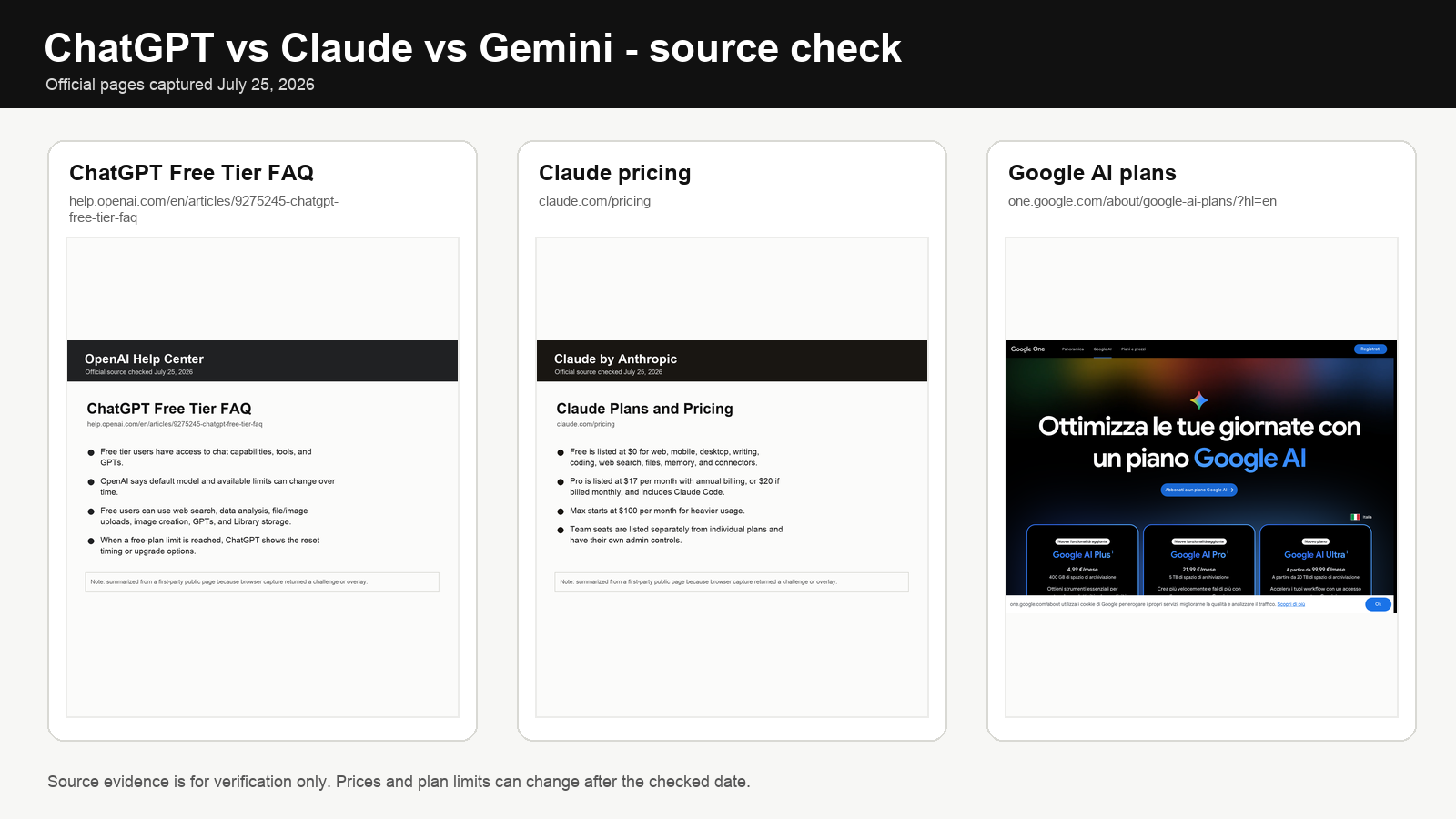
We rechecked the official pricing and source pages shown in the featured image: ChatGPT Free Tier FAQ, Claude pricing, Google AI plans. We used public product pages and help pages, not affiliate roundups. Prices, plan names, and limits can change, so confirm the current checkout page before subscribing.
This guide compares ChatGPT vs Claude vs Gemini for productivity from the angle that matters in practice: real 2026 pricing, where each product feels faster, where it creates friction, where it silently breaks, and what kind of workday it actually fits. Decision rules at the end — not hype rankings.
Quick answer
ChatGPT Plus ($20/mo) is still the safest default for most people — broadest ecosystem, widest task coverage, best for mixed-workday professionals. Claude Pro ($20/mo) wins for writers, researchers, consultants, and anyone who lives inside long documents. Gemini wins when your work already lives in Gmail, Docs, Drive, Meet, and NotebookLM — and many Google Workspace plans now include Gemini features at different levels, so check your exact tier before paying again.
For adjacent decisions: AI note-taking apps, AI tools for freelancers, top AI tools.
Our default position: if you are not sure which profile fits you, start with ChatGPT Plus. Not because it is the best at anything specific, but because it is the least likely to be wrong for a varied workday. Upgrade to Claude Pro the moment you notice you are doing more writing and editing than anything else — that shift is usually clear within the first month. Add Gemini only if your Workspace plan does not already include it and you live inside Google all day.
Real 2026 pricing
| Product | Free tier | Entry paid | Power tier | Team/Business |
|---|---|---|---|---|
| ChatGPT | Yes (usage limits) | Plus $20/mo | Pro from $100/mo | Business $25/user annual or $30 monthly; Enterprise custom |
| Claude | Yes | Pro $20/mo | Max $100/mo or $200/mo | Team standard seat $20 annual or $25 monthly; Enterprise custom |
| Gemini | Yes | Google AI Plus $9.99/mo; AI Pro $19.99/mo | Google AI Ultra $249/mo | Workspace plans include Gemini at varying levels; broader access in Standard/Plus and Enterprise |
Price now matters more than it did earlier in 2026. ChatGPT Plus and Claude Pro are both $20/month, while Google now has a lower-cost Google AI Plus tier at $9.99/month beneath AI Pro at $19.99. Power tiers diverge sharply: ChatGPT Pro starts at $100, Claude Max starts at $100, and Google AI Ultra sits far above the entry plans. Most users should stay on the lowest tier that stops their actual workflow from hitting limits.
Workspace note: as of April 16, 2026, Google’s official Workspace pricing page shows Gemini features across Business Starter, Standard, and Plus at different levels, with broader Gemini and NotebookLM access in Standard, Plus, and Enterprise. Check your exact Workspace tier before paying for Google AI Pro on top — double-paying for overlapping Gemini access is pure waste.
Comparison table with real differences
| ChatGPT | Claude | Gemini | |
|---|---|---|---|
| Best for | Mixed-workday generalists | Long-form writing, documents, analysis | Google Workspace-native workflows |
| Entry price | $20/mo (Plus) | $20/mo (Pro) | $19.99/mo (AI Pro), or included at varying levels in Workspace |
| Context window | Large on Plus, larger on Pro | Largest practical on Pro; very large on Max | Very large on AI Pro / Ultra |
| Standout | Projects, Tasks, Custom GPTs, Work, image generation, desktop app | Artifacts, Projects, long-context fidelity, editorial tone | Deep Gmail/Docs/Drive/Meet integration, NotebookLM |
| Where it quietly fails | Long-document fidelity under load; over-eager confidence | Smaller plugin ecosystem; no native image gen; no voice mode like ChatGPT’s | Outside Google, becomes ordinary; uneven across surface depth |
| Native image gen | Yes (DALL·E and GPT-Image) | No | Yes (Imagen) |
| Voice mode | Advanced Voice (strong) | Limited | Gemini Live (strong on Android) |
| Web/research mode | Search + deep research (Plus, with higher limits on Pro) | Web search + Research | Deep Research (AI Pro/Ultra) |
| Code execution in chat | Yes | Yes (Artifacts + analysis) | Yes |
| Choose if | You want one flexible tool for a varied workday | Most of your day is reading, writing, or revising | You already live in Google apps all day |
| Skip if | Your work is entirely inside Google Workspace | You need the broadest possible tool coverage | You are not committed to Google’s ecosystem |
Who this guide is not for
If you write code more than prose, this comparison is incomplete — Cursor ($20/mo) or GitHub Copilot ($10/mo) is the right starting point, and Claude via Cursor is often the better path than Claude standalone. If you want autonomous multi-step agents, the picture changes significantly and goes beyond assistant comparisons. This guide is specifically for people whose core work involves writing, reading, organizing, communicating, and planning.
This section is more useful than the comparison tables above. The strengths of each product are where you will be happy. The quiet failures are where you will lose a Tuesday afternoon and blame yourself instead of the tool.
Where each model quietly fails
Every model has quality holes that marketing pages do not advertise. Knowing them matters more than knowing the strengths, because the strengths are where you will be happy and the failures are where you will lose a Tuesday afternoon.
| Product | Quiet failure modes | What to do |
|---|---|---|
| ChatGPT | Confidence without calibration — confident phrasing even when uncertain. Long-document fidelity degrades under token pressure. Memory can leak stale context into new tasks. | Treat first outputs as drafts. Use Projects to isolate contexts. Prune memory monthly. |
| Claude | Sometimes overly cautious, adding caveats where none were asked. No native image generation. Smaller plugin/connector ecosystem. Voice mode is weaker. | Explicitly ask for “no caveats, direct.” Pair with Midjourney/Firefly for images. |
| Gemini | Outside Google tools the experience drops to ordinary. Uneven quality between surfaces (Docs vs Gmail vs standalone). Deep Research quality varies. | Use inside Google apps; keep a second assistant for non-Google work if that is most of your week. |
What changed in 2026
These products now behave more like work surfaces than chat windows. OpenAI leans on Projects, Tasks, Search, Custom GPTs, apps, Advanced Voice, and business connectors. Anthropic pushes Projects, Research, web search, code execution, project sharing, Google Workspace integration, and Artifacts. Google keeps tightening Gemini around Workspace while NotebookLM becomes central for source-grounded research.
In daily use, three differences are easy to feel. ChatGPT Projects make it easier to keep prompts, files, and recurring work in one place instead of starting from a blank thread. Claude Artifacts make iterative document work feel less disposable — the output becomes a workspace, not a message. Gemini feels most natural when the job starts in Gmail, Docs, Meet, or Drive and you do not want to keep exporting context back and forth.
ChatGPT — the default generalist
Pricing. Free works for light use. Plus is $20/month and remains the default paid plan for most individuals. Pro now starts at $100/month; the $200 Pro tier remains available to existing subscribers but new signups and upgrades to that tier are temporarily paused. Business is $25/user/month billed annually or $30 monthly and adds shared workspaces, admin controls, and business data protections.
Where ChatGPT wins. General-purpose productivity across mixed tasks. Solo professionals who want one interface for many jobs. Teams that want admin controls and shared tooling. People who build reusable Custom GPTs. Work that benefits from native image generation, Work, or voice.
Where it is less ideal. Work deeply tied to Google Workspace. Long-form editorial work where calm, focused document interaction matters more than breadth. Situations where model calibration (admitting uncertainty) matters more than confidence.
Upgrade trigger to Pro. You hit Plus usage caps repeatedly for a month and advanced reasoning, deep research, or agentic work is part of your real weekly workload. Start with the $100 Pro tier rather than assuming the highest tier is necessary.
Claude — the document and writing tool
Pricing. Free tier is useful for casual use. Pro $20/mo is the default for any writer or researcher. Max $100/mo (5x Pro usage) or $200/mo (20x Pro usage) makes sense if you hit Pro’s 5-hour rolling caps weekly. Team standard seats are $20/user annually or $25 monthly, with premium seats higher for heavier usage.
Where Claude wins. Turning messy notes into structured drafts. Working through long source documents with a consistent voice. Refining explanations, memos, briefs, editorial content. Iterating on one piece of work over multiple sessions. Tasks where measured, non-confident language matters — legal summaries, professional communications, analytical writing.
Where it is weaker. Plugin and connector breadth is narrower than ChatGPT. No native image generation. Voice mode is limited. Custom GPT-style reusable agents are less polished than ChatGPT’s.
Upgrade trigger to Max. You hit Pro’s 5-hour caps more than once a week over 30 days, and Claude is your primary daily tool (>3 hours/day). Max $100 suits 5x-weekly heavy users; Max $200 only suits all-day Claude users (product writers, researchers running Claude continuously).
Gemini — the Google-native assistant
Pricing. Free tier. Google AI Plus is $9.99/month and Google AI Pro is $19.99/month; Google AI Ultra is the high-end tier. Workspace plans also include Gemini at different levels, with broader Gemini and NotebookLM access in Standard, Plus, and Enterprise — check before buying separately.
Where Gemini wins. Google Workspace-heavy teams. Operators who live in email, docs, slides, and meetings. Students and researchers using NotebookLM for source-based synthesis. Workflows where context switching (moving content between the assistant and working files) is the real bottleneck, not model IQ.
Where it is weaker. Outside Google apps the experience drops to ordinary. Quality is uneven across surfaces — Gemini in Docs does not feel the same as Gemini in Gmail or standalone. The strategic advantage evaporates if your day is not Google-native.
Upgrade trigger. Honest answer: if your Workspace plan does not include enough Gemini access and Google is where your day happens, start with AI Plus at $9.99 or AI Pro at $19.99 depending on the limits and features you need. Ultra is niche and only makes sense when the highest research, reasoning, or media-generation limits are part of paid work.
One-tool vs two-tool decision
The single biggest money question. $240/year for one tool, $480/year for two, $720/year for three. Overlap between these three products is roughly 70-80% — real, but not total.
Stay on one tool when: your work fits one profile cleanly, you have not documented a specific gap, or you are still inside your first 90 days of any of the three. The second subscription almost always feels useful for a week and then sits idle.
Add a second tool when:
| Primary tool | Add a second when… | Typical second tool |
|---|---|---|
| ChatGPT Plus | You routinely work on documents >20 pages and the editorial voice matters | Claude Pro |
| ChatGPT Plus | Your day is 80% inside Google apps and Workspace does not bundle Gemini | Gemini AI Pro |
| Claude Pro | You need heavy image generation, voice mode, or Custom GPTs | ChatGPT Plus |
| Claude Pro | Your team operates entirely inside Google Workspace | Gemini (likely bundled) |
| Gemini (standalone) | You need a stronger writing/reasoning surface than Gemini for hard drafts | Claude Pro |
| Gemini (via Workspace) | You want a standalone assistant for non-Google work | ChatGPT Plus or Claude Pro |
Do not add a second tool when: you are just curious about the hype, a colleague had one good week with another tool, or you have not yet used your primary tool’s Projects/Artifacts/Workspace features — those alone often close perceived gaps.
The pattern that wastes the most money: buying all three at entry tier because each feels useful for a different thing. At $20 each that is $720/year, and the overlap is real — roughly 70–80% of what you do in one you could do in another. The second tool almost always earns its keep for the first two weeks, then sits idle. Before adding a subscription, document the specific job the second tool would do and how often you actually need it. If you cannot name it precisely, you do not need it yet.
Workflow fit — which model for which job
| Job | Winner | Close second | Why |
|---|---|---|---|
| Long-form article or report | Claude Pro | ChatGPT Plus | Claude holds voice and structure over long sessions; Artifacts make it feel like a document workspace. |
| Legal/professional memo, measured tone | Claude Pro | ChatGPT Plus | Claude is less prone to confident overstatement. |
| Quick draft, mixed tasks, varied day | ChatGPT Plus | Claude Pro | Breadth and speed; better for context switching. |
| Image generation + prompt | ChatGPT Plus | Gemini | Native image gen inside the chat; Claude has none. |
| Custom GPT-style reusable agent | ChatGPT Plus | Claude Projects | Custom GPTs ecosystem is larger and more polished. |
| Gmail triage and reply drafts | Gemini | ChatGPT (via extensions) | Native Gmail integration removes context switching. |
| Google Docs co-writing | Gemini | Claude (via paste/Artifacts) | Native side-panel in Docs wins on friction. |
| Source-grounded research with citations | NotebookLM (Gemini) or Claude Research | Perplexity | NotebookLM for your own uploaded sources; Claude for open-web research with web search. |
| Meeting follow-up into strategy memo | Claude Pro | ChatGPT Plus | Claude turns transcript into measured narrative best. |
| Voice-first brainstorm while walking | ChatGPT Advanced Voice | Gemini Live | ChatGPT’s voice is still the smoothest; Gemini Live is excellent on Android. |
| Spreadsheet or data analysis in chat | ChatGPT Plus (Code Interpreter) | Claude (analysis mode) | ChatGPT’s execution environment is mature and reliable. |
| Code review and refactor discussion | Claude Pro | ChatGPT Plus | Claude’s long-context fidelity helps on multi-file conversations. |
Stack design for realistic user profiles
| Profile | Primary | Second tool (only if needed) | Monthly cost |
|---|---|---|---|
| Founder/operator, mixed-workday, no Google lock-in | ChatGPT Plus | Claude Pro if document-heavy work emerges | $20-$40 |
| Writer/strategist/researcher | Claude Pro | ChatGPT Plus for image/voice/Custom GPTs | $20-$40 |
| Consultant, client-facing writing | Claude Pro | Rarely needed | $20 |
| Google Workspace user with Gemini already included | Gemini (bundled) | Claude Pro for long-form work | $0-$20 incremental |
| Freelancer, mixed admin + delivery | ChatGPT Plus | Claude Pro if writing-heavy clients | $20-$40 |
| Source-heavy researcher/student | NotebookLM (free) + Claude Pro | Gemini AI Pro if going all-in | $20-$40 |
| Solo Google-native user (no Workspace Business) | Gemini AI Pro $19.99 | Claude Pro if editorial output matters | $20-$40 |
| Small team (5) mixed work | ChatGPT Business or Claude Team | One dedicated Gemini seat only if Workspace does not already include it | $100-$170 |
Pattern: a well-chosen $20 primary covers 80%. Most second tools are optional and justified by a documented, repeated gap — not by curiosity or hype.
Skip to here if you have been reading tables for five minutes and still do not know which tool fits you.
Three realistic workdays, three different winners
The founder context-switching all day. Email cleanup, planning notes, hiring drafts, meeting summaries, customer replies, light research, one-off problem solving. This person does not want a specialist. They want one flexible surface that absorbs a messy day. ChatGPT Plus usually wins because breadth and Custom GPTs matter more than calmness or ecosystem purity.
The writer or researcher drowning in documents. More time reading, rewriting, outlining, and turning messy material into clear output than automating workflows. They need fewer gimmicks and better concentration. Claude Pro usually wins because the unit of work is a long brief, memo, deck narrative, or difficult draft — and Artifacts make that unit feel like a workspace.
The Google-native team lead. Lives inside Gmail, Docs, Meet, Drive, and NotebookLM. The bottleneck is not model quality — it is context-switching friction. Gemini usually wins because the ecosystem fit itself removes drag. If your Workspace tier already includes Gemini features, the incremental cost can be zero.
Decision rules
Choose ChatGPT Plus ($20) when: your day is varied, no single task dominates, you want image generation or voice mode in-product, you build reusable Custom GPTs, or you want the broadest connector ecosystem.
Choose Claude Pro ($20) when: you write or review documents more than 2 hours/day, you need measured editorial tone, long-context fidelity matters, or you work with clients where “sounds confident but wrong” costs more than “slightly cautious.”
Choose Gemini (bundled, $9.99 AI Plus, or $19.99 AI Pro) when: 70%+ of your workday happens inside Google apps, you use NotebookLM for source research, or your team is already standardized on Workspace.
Choose two tools only when: you have documented a specific gap for 30+ days that the primary tool cannot close, and the cost is justified by real weekly use — not “just in case.”
Upgrade to a power tier (Pro/Max/Ultra) only when: you hit entry-tier caps more than twice a week for 30 days, and the task hitting the cap is worth paying 5-10x to remove.
Switching for the wrong reason
Many people change assistants because a colleague had one good week or a launch cycle made one product feel hotter. That is the wrong reason. The right reason is documented friction — your current tool keeps failing at the same kind of work you do every day. If it is mostly working and you are just reacting to hype, you will lose more time rebuilding habits, prompts, Projects, and memory than you will gain from the switch.
A useful test before switching: list 10 tasks you did last week. For how many did your current tool produce output you shipped? If it is 7 or more, the switch rarely pays back. If it is 4 or fewer, switching is probably correct.
Common mistakes
- Paying for two $20 assistants before testing one for 30 days. Overlap is 70-80%. Pick one, use Projects/Artifacts seriously, then reassess.
- Paying for Gemini AI Pro on top of a Workspace plan that already includes Gemini features. Check your exact Workspace tier before subscribing separately.
- Upgrading to Pro/Max/Ultra without hitting caps. 10x the price for 2x the ceiling. Only worth it if entry tier genuinely throttles your work.
- Choosing by hype cycle instead of workflow fit. Every few months one product “wins the week.” Your workflow has not changed that fast.
- Ignoring Projects/Artifacts/Workspace features. Many “I need to switch” feelings come from using the tools as plain chat. The advanced surfaces close most gaps.
- Letting ChatGPT memory drift. Stale context leaks into unrelated tasks. Review and prune monthly, or use Projects to isolate.
- Expecting Gemini to shine outside Google. If your day is not Google-native, Gemini is fine but not special — and you are paying for capability you do not use.
- Switching tools instead of switching prompts. 60% of “this model is dumb” reactions are prompt problems. Try a stricter prompt before changing subscriptions.
- Skipping the one-tool-for-30-days test. You only know a tool’s real ceiling after heavy, focused use, not after a weekend.
Final take
The choice is still driven by environment and task pattern more than brand loyalty. ChatGPT Plus ($20) is the best default for mixed-workday generalists. Claude Pro ($20) is the best choice for long-form thinking and high-comfort document work. Gemini (bundled through Workspace or available through Google AI Plus/Pro) is the best choice when your real office is already Google Workspace. The same $20 buys three very different workdays — pick the one that matches yours, not the one that trended last week.
To build a tighter stack around your choice, continue with AI note-taking apps in 2026, AI tools for freelancers, and more technology guides.
FAQ
Which AI assistant is best for productivity in 2026?
For most users, ChatGPT Plus at $20/mo is still the safest all-around choice because it covers the widest range of jobs without forcing you into one ecosystem. Claude Pro at $20/mo is stronger for document-heavy work. Gemini pulls ahead when your files and meetings already live in Google Workspace — and may already be included in your Workspace plan.
Is Claude better than ChatGPT for writing?
For long-form writing and multi-pass editing, yes — Claude Pro ($20/mo) usually feels better. It holds voice and structure across long sessions, and Artifacts make iterative document work feel like a workspace rather than a thread. ChatGPT Plus is still excellent if your writing sits inside a broader workflow that also includes research, task planning, and image generation.
Is Gemini better if I use Gmail and Google Docs every day?
Usually yes. If 70%+ of your work runs inside Gmail, Docs, Meet, Drive, and NotebookLM, Gemini has a structural advantage because it removes context switching rather than adding another tool layer. Check whether your Workspace plan already includes Gemini features before paying $19.99 separately — Google now bundles Gemini at different levels across Workspace tiers.
Is it worth paying for both ChatGPT Plus and Claude Pro?
For most users, no — $480/year for 70-80% overlap. Use one for 30 days with Projects/Artifacts enabled, document the gaps, then decide. The common exceptions: mixed-workday founders who also write long reports (ChatGPT + Claude), and writers who need image generation or Custom GPTs (Claude + ChatGPT).
When is ChatGPT Pro actually worth it?
When Plus limits interrupt real work repeatedly and you need substantially more advanced reasoning, deep research, or agentic usage. The current Pro ladder starts at $100/month; the $200 tier is temporarily unavailable to new signups and upgrades, so most users considering Pro should evaluate the $100 tier first.
When is Claude Max worth the jump from Pro?
When Pro’s 5-hour rolling caps throttle you more than once a week over 30 days, and Claude is your primary daily tool. Max $100 fits 5x-weekly heavy users. Max $200 only makes sense for product writers, researchers, or analysts running Claude continuously all day.
Should teams pick one tool or mix?
Many teams end up mixing. A practical pattern: ChatGPT Business ($25 annual or $30 monthly) for general operations, Claude Team standard seats ($20 annual or $25 monthly) for writing and analysis, Gemini where Workspace already includes it for Google-native collaboration. The mistake is pretending one product must solve every task for every person equally well. Assign tools by role, not by uniform policy.
What is the cheapest realistic AI productivity stack in 2026?
$0. Free tiers of ChatGPT, Claude, and Gemini together cover most casual needs. For paid, $20/mo on one primary tool is enough for 90% of professionals. Stacks above $60/mo for a solo user should be audited — there is almost always overlap, a better primary, or a bundled option being double-paid.
If the free tier is the deciding factor, compare what the free plans actually include.