
Last updated: October 6, 2026
The cheapest AI coding assistant is not always the cheapest tool to run.
That sounds obvious until you compare the pricing pages. Cursor, GitHub Copilot, Windsurf, and Claude Code use different plans, different quotas, different billing units, and different ideas of what “usage” means. A $20 plan can be the right answer for one developer and the wrong answer for another. A free plan can be generous enough for light work and useless for a week of real shipping.
This guide compares current public pricing and usage rules from official sources. Treat the numbers as a planning baseline: AI coding products now mix subscriptions with AI credits, included usage, quotas, and optional pay-as-you-go spend, so the cheapest headline plan is not always the cheapest real workflow.
Quick Answer
Choose GitHub Copilot if you want the safest default inside an existing GitHub workflow. It has a real free tier, a clear $10 Pro plan, and predictable team controls for companies already living in GitHub.
Choose Cursor if the editor itself is the product you want. Cursor is the most natural pick when you want chat, agentic edits, and codebase context inside one AI-first IDE, and you are comfortable moving daily work into that editor.
Choose Devin Desktop (formerly Windsurf) if you want an agent-first IDE plus access to cloud agents. The current product keeps the Windsurf IDE foundation but puts local and cloud agents in one command center, so the decision is increasingly about agent quota rather than autocomplete alone.
Choose Claude Code if you already pay for Claude and want a terminal coding agent tied to your Claude plan or API billing. It is powerful, but the cost model is less like a fixed IDE subscription and more like a usage conversation you need to monitor.
| Tool | Best fit | Verified public pricing signal | Budget risk |
|---|---|---|---|
| GitHub Copilot | Most developers already using GitHub | Free, Pro at $10/user/month, Pro+ at $39/user/month, Max at $100/user/month | Agent, chat, CLI and cloud-agent usage now draw from GitHub AI Credits; paid code completions remain unlimited. |
| Cursor | Developers who want an AI-first editor | Hobby free; Pro $20/month; Pro+ $60/month; Ultra $200/month | Yearly billing advertises a 20% saving; higher tiers mainly buy more agent usage. |
| Devin Desktop (formerly Windsurf / Codeium) | Agent-heavy coding and larger autonomous work | Free, Pro $20/month, Max $200/month; Teams $80/month plus $40/month per full seat | The product now combines the former Windsurf IDE with Devin agents, so quota and cloud-agent usage matter. |
| Claude Code | Terminal-first users already using Claude | Available through Claude paid plans or API billing; Claude Pro listed at $20/month or $17/month annually | Usage is shared or token-based, so long coding sessions need monitoring. |
What Happened to Codeium and Windsurf?
If you are searching for Codeium pricing in 2026, the naming has moved twice. The official Windsurf plugin pages still identify Windsurf as formerly Codeium, while the current product site says Devin Desktop is the new name for Windsurf. In practical buying terms, the current self-serve pricing surface is Devin Desktop: Free, Pro at $20/month, Max at $200/month, plus Teams pricing.
How We Checked This
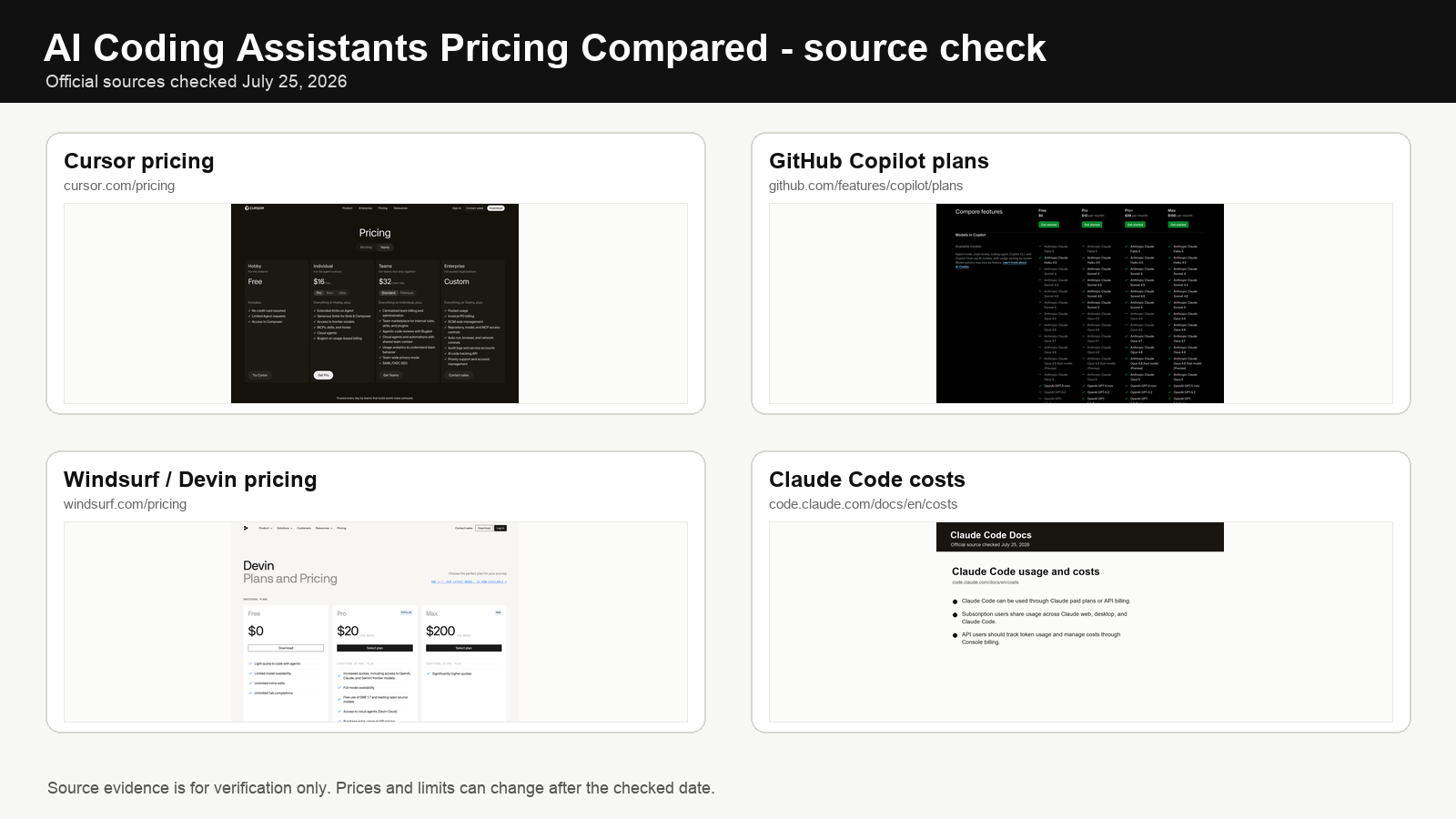
We use official pricing and documentation pages: Cursor pricing, GitHub Copilot plans, Devin Desktop / Windsurf pricing, Claude pricing, and Anthropic’s Claude Code cost documentation. We keep historical screenshots as evidence, but the comparison text follows the current official pricing surface.
The featured image for this article shows the source pages we used for verification. We used public official pages, not reseller pages or affiliate roundups. Some vendors localize pricing, test page variants, or change limits by plan, so recheck the page you see before buying annual seats.
The Real Comparison Is Not Autocomplete
If all you need is inline completions inside an editor you already use, GitHub Copilot is the simple baseline. It is mature, inexpensive at the Pro tier, and already fits the place where many developers review pull requests, manage repos, and ship code.
Cursor is a different bet. It asks you to move into an AI-first editor so the assistant can work closer to your codebase. That can be worth it if your actual work is not “finish this line” but “understand this module, edit three files, explain the migration, and keep context while I iterate.”
Windsurf and Devin push the question further into agent work. The pricing page we captured showed Devin plans, not just an editor plan. That matters. A heavier agent can be valuable when it handles a multi-step task, but it also makes quota and usage control more important.
Claude Code is different again. It is not mainly a browser IDE subscription. Anthropic’s docs describe Claude Code usage through Claude paid plans or API billing, with subscription usage shared across Claude surfaces and API usage billed by tokens. That makes it attractive for terminal-first developers, but harder to compare with a neat $10 Copilot line.
AI Coding Assistant Pricing in 2026
GitHub Copilot still has the lowest mainstream paid entry point here: Pro is $10 per user per month, Pro+ is $39, and Max is $100. The important change is how usage is measured. GitHub now uses AI Credits for chat, agent mode, code review, cloud agent, CLI and apps, while code completions and next-edit suggestions remain unlimited on paid plans. Free still includes 2,000 completions per month.
Cursor’s pricing page was more sensitive to billing toggle. Cursor now makes the individual ladder explicit: Hobby is free, Pro is $20/month, Pro+ is $60/month, and Ultra is $200/month. Pro, Pro+, and Ultra include unlimited tab completions with progressively more agent usage; yearly billing can reduce the effective monthly price.
Windsurf’s pricing page redirected the practical decision toward Devin. The current Devin pricing page lists Free, Pro at $20 per month, Max at $200 per month, and Teams at $80 per month plus $40 per month per full developer seat. Paid plans include agent quota, and additional usage can be purchased at API pricing.
Claude Code is included with Claude Pro and Max. Pro is $20 per month or $200 per year ($17 per month equivalent); Max is $100 per month for 5x Pro usage or $200 per month for 20x. Paid plans have usage limits, while API or extra usage can add variable cost beyond the subscription.
Scenario 1: A Student Or Hobby Developer
Start with GitHub Copilot Free, Cursor Hobby, or the free surface of Windsurf/Devin. The question is not whether the free tier can replace a senior assistant. It cannot. The question is whether you code often enough to know what limit you are hitting.
Copilot Free is unusually concrete here because GitHub lists 2,000 completions per month. If you mostly work on small projects, exercises, scripts, and occasional pull requests, that may be enough to learn where AI coding helps without paying immediately.
Upgrade only when the limit blocks actual progress. A free plan that forces you to think before asking for another agent run is annoying, but it can also prevent the classic beginner mistake: asking the model to make changes you do not understand.
Scenario 2: A Solo Developer Shipping Weekly
This is where the first paid plan usually makes sense.
If you stay in VS Code or JetBrains and use GitHub heavily, Copilot Pro at $10 per month is the practical baseline. It is cheap enough that the hurdle is low: if it saves even half an hour a month, the math is fine.
If you want the assistant to work across a repo and you like the editor experience, Cursor at roughly $20 monthly, or lower on annual pricing when available, becomes the natural comparison. The extra cost over Copilot Pro is not huge in absolute dollars. The bigger question is workflow: do you want to live in Cursor every day?
If you already pay for Claude Pro, Claude Code deserves a trial before adding another subscription. The risk is not the headline price. The risk is assuming your Claude plan behaves like unlimited coding budget. Watch the usage bars during real sessions.
Scenario 3: A Small Team
Small teams should decide differently from solo users. The question becomes control, auditability, seat management, and how much agent usage the team can burn without noticing.
GitHub Copilot Business or Enterprise is the obvious starting point for teams already standardized on GitHub. Team buyers care about permissions, policy, code review flow, and procurement as much as model quality.
Cursor Teams can make sense if the engineering team wants the editor as a shared standard. That is a stronger commitment than giving everyone a Copilot seat. It changes onboarding, workflows, and sometimes editor preferences.
Devin Teams is the heavier bet. The public docs listing an $80 monthly minimum and seat/credit mechanics make it something to roll out carefully. Start with a narrow use case: dependency updates, issue reproduction, test-writing spikes, or well-scoped internal tasks.
For Claude Code, separate subscription use from API use. A team using Claude Code casually through paid Claude plans has one kind of budget risk. A team wiring it into automation through API billing has another.
What To Watch Before Paying Annually
Usage pools. “Unlimited” language can hide premium request limits, model credits, or fair-use rules. Check the plan table, not only the pricing headline.
Model access. The plan that includes autocomplete may not include the premium reasoning model you want for harder code tasks.
Editor lock-in. Cursor is strongest when it becomes the daily editor. If you keep returning to VS Code, you may be paying for a workflow you do not use.
Agent appetite. Agent products can save more time, but they also consume quota faster. Do not judge them from a five-minute demo.
Team governance. For companies, seat control, logs, policy, IP terms, and repo permissions can matter more than the cheapest per-seat price.
Practical Buying Order
For most individual developers, the clean first paid choice is Copilot Pro or Cursor Individual, not both. Copilot Pro is the cheaper default if you want help inside your existing workflow. Cursor is the better first paid choice if you want the editor itself to become the assistant surface.
Claude Code belongs next when terminal workflows matter or when you already use Claude enough that the incremental value is obvious. Do not treat it as a drop-in price match to Copilot because the usage model is different.
Windsurf or Devin belongs in the stack when the job is agentic enough to justify the price. If your use case is only completions and chat, cheaper tools can cover a lot. If your use case is “take this issue and make real progress while I supervise,” then Devin-style pricing belongs in the comparison.
Related Guides
- Cursor vs Copilot vs Windsurf 2026
- ChatGPT vs Claude vs Gemini for productivity
- Top AI tools 2026
- AI research tools 2026