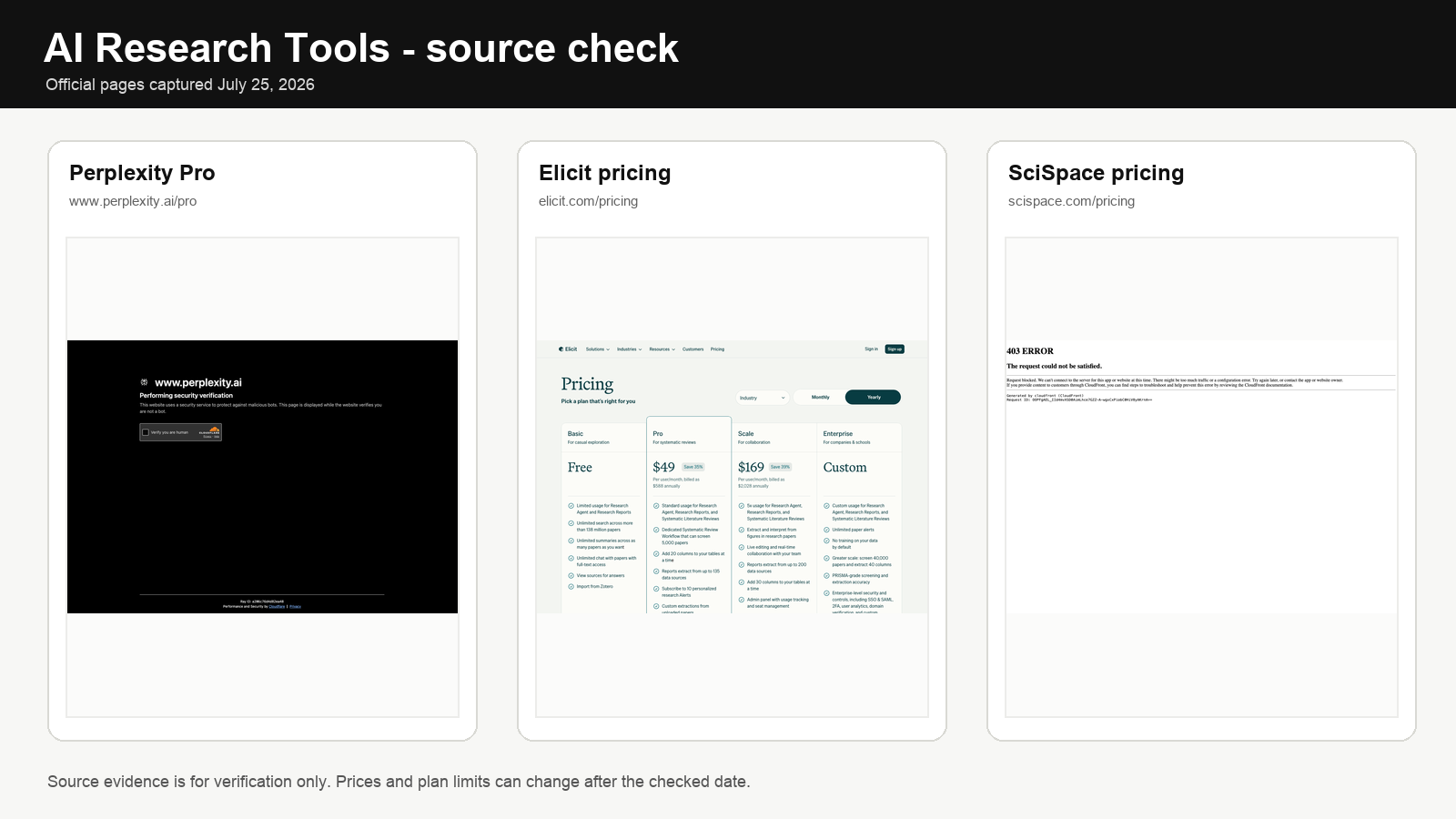
Last updated: April 14, 2026
AI research tools in 2026 are no longer just about asking a chatbot for a fast answer. The serious question is which tools help you search, compare sources, organize findings, and move from reading to usable output without collapsing into citation chaos or vague summaries that cannot be traced back to anything real.
This guide covers the tools that actually matter for research work — general assistants, source-grounded synthesis tools, and academic-specific options — with realistic plan expectations, concrete workflow examples, and honest failure modes for each. The biggest editorial decision is not which tool is “best” — it is which stage of research you are in and which tool is honest at that stage.
Video overview: AI research tools compared
This comparison gives a quick visual baseline before you read the full article on which AI research tools are strongest for synthesis, retrieval, and decision support.
Quick answer
For general research and writing: ChatGPT Plus ($20/mo) or Claude Pro ($20/mo). For sourced web answers you can verify: Perplexity Pro ($20/mo). For synthesizing your own document set: NotebookLM (free with a Google account, with higher limits through Google’s AI plans from about $19.99/mo in the U.S.). For academic literature specifically: Elicit’s free plan is a strong starting point, while Consensus Pro starts around $15/mo or about $10/mo on annual billing. The biggest mistake is using a general assistant as if it were an academic search engine — it can fabricate citations with the same fluency it uses for accurate ones. Match the tool to the research type before you start.
If your work also depends on writing and note cleanup, continue with AI writing tools, AI note-taking apps, and AI tools for freelancers.
The four stages of AI-assisted research
The single most useful framing before picking tools: research is not one activity. It is four stages, and the tool that is best at one is usually wrong for another.
| Stage | What you are actually doing | Best-fit tool category | Wrong tool here |
|---|---|---|---|
| 1. Discovery | Mapping the topic space, finding sources, statistics, recent developments | Perplexity, Deep Research (ChatGPT/Gemini), Elicit for academic | Plain ChatGPT without browsing — will invent sources |
| 2. Verification | Checking whether a specific claim is real, contested, or misreported | Perplexity, Consensus, Scite, primary sources | Any general assistant asked “is this true?” in isolation |
| 3. Synthesis | Reading across your collected sources, extracting themes, tensions, gaps | NotebookLM (your sources), Claude (long context) | Perplexity — it’s a retriever, not a synthesizer |
| 4. Drafting | Turning synthesis into structured prose, briefs, reports | Claude for analytical writing, ChatGPT for faster structured drafts | NotebookLM — built to answer, not to compose long originals |
If your “research tool” feels weak, the problem is usually not the model. It is that you are using a discovery tool for synthesis, or a synthesis tool for drafting, or a drafting tool to verify facts.
Pricing and plan reality, 2026
| Tool | Free tier reality | Paid entry | What the paid tier actually unlocks |
|---|---|---|---|
| ChatGPT | Usable GPT-5 access with tighter limits, limited Deep Research runs | Plus $20/mo | Higher message caps, limited Deep Research access, priority on new features; Pro $200/mo for much heavier use |
| Claude | Claude on free web/app with daily message cap | Pro $20/mo | ~5× usage, Projects with persistent context, Claude in Chrome preview; Max $100–200/mo for long sessions and Claude Code |
| Perplexity | Unlimited quick searches, limited Pro Searches per day | Pro $20/mo | Unlimited Pro Search, model picker (GPT-5 / Claude / Sonar), Spaces, file uploads, Deep Research longer runs |
| NotebookLM | Free with Google account: up to 100 notebooks, 50 sources each | Higher limits through Google AI Pro from about $19.99/mo in the U.S. | Higher notebook and source limits, Audio Overview customization, advanced sharing, and notebook analytics |
| Gemini | 2.5 Flash free, limited 2.5 Pro and Deep Research | Google AI Pro $19.99/mo | 2.5 Pro, extended Deep Research, Gemini in Gmail/Docs/Drive, 2 TB storage |
| Elicit | Strong free plan for search, summaries, and limited automated reports | Pro from about $49/mo on annual billing | Systematic-review workflow, more reports and data extraction, alerts, and API access |
| Consensus | 3 Deep Searches per month and limited Pro Analyses on the free tier | Pro $15/mo or about $10/mo annual | Unlimited Pro Analyses, more Deep Searches, unlimited Study Snapshots and Ask Paper |
| Scite | Free trial and limited access | Personal plans commonly start around $20/mo, with lower effective monthly pricing on annual billing | Scite Assistant, full-text search, Smart Citations, dashboards, and reference-check workflows |
Before stacking four paid subscriptions: the honest minimum for a serious research workflow is two paid tools, not five. Most researchers do well with Perplexity Pro plus either Claude Pro or ChatGPT Plus, and add NotebookLM free on top. Add Elicit only if academic literature is an actual recurring need, not once a quarter.
Tool-by-stage: which one does what well
ChatGPT Plus — strongest for drafting and Deep Research on open-web topics
Price: free tier, Plus $20/mo, Pro $200/mo
Best stage: Drafting (stage 4) and Discovery via Deep Research (stage 1)
Key weakness: fabricates specific statistics, dates, and citations with confident-sounding accuracy when not browsing
ChatGPT handles research well when the output of the research is a piece of writing. Feed it a topic brief and ask it to produce a structured outline with key claims and comparison frames — the output is usually useful and fast. Where it breaks down is in specificity without browsing: ask it for the 2023 market size of a niche industry without Deep Research on and it will give you a number with a source that does not exist.
Deep Research in ChatGPT is meaningfully different from standard chat: it runs multi-step searches for 5–30 minutes, compiles findings across dozens of sources, and produces a cited report. Plus users get limited Deep Research access, while Pro users get much more headroom. The reports are long, structured, and include inline links — but still require verification, especially on specific numbers.
The right workflow: use standard chat to structure the research question and produce a draft framework; use Deep Research once per topic to build the evidence base; verify specific claims through primary sources or Perplexity before publishing.
Skip if: source accuracy is non-negotiable and you do not have time to verify every specific claim — or if you are doing academic citation work, where fabricated DOIs and journal names are a recurring problem.
Claude Pro — strongest for long documents and careful analytical synthesis
Price: free tier, Pro $20/mo, Max $100–200/mo
Best stage: Synthesis (stage 3) and analytical Drafting (stage 4)
Key weakness: limited built-in web search compared to ChatGPT and Perplexity; still capable of fabrication outside the documents you provide
Claude’s long-context handling (200K tokens on Pro, effectively ~500 pages of text in one conversation) makes it especially useful for research that involves large source material. Paste a 60-page PDF, a research report, and several articles into one Project and ask Claude to synthesize the main claims, identify tensions between the sources, and flag where the evidence is weakest — the output is often more careful and less bravado-heavy than faster assistants.
Claude Projects are the underrated feature: one persistent workspace per research topic, with custom instructions and a shared source library Claude references on every turn. For ongoing research on a theme (a book chapter, a legal matter, an investor thesis), Projects reduce context-rebuilding overhead more than any other feature across these tools.
The right workflow: gather sources through Perplexity or primary databases, paste the most relevant ones into a Claude Project, and use Claude to analyze rather than to discover. The analysis it produces is more traceable because it is constrained to what you fed it.
Skip if: you need broad web discovery or real-time sourcing as the main job. Claude is strongest when the sources are already in front of you.
Perplexity Pro — strongest for fast, verified web discovery
Price: free tier, Pro $20/mo
Best stage: Discovery (stage 1) and Verification (stage 2)
Key weakness: it is not a writing or synthesis environment; long outputs are formulaic
Perplexity’s core advantage over general assistants is that it cites real sources inline and you can click them immediately. This is not a minor convenience — it is a fundamental difference in research integrity. When ChatGPT says “according to a 2023 McKinsey report,” you cannot immediately verify it. When Perplexity says the same thing, there is a numbered citation you can open in one click.
Pro adds “Pro Search” (multi-step queries, breaking a complex question into sub-questions) and “Deep Research” (5–10 minute runs that produce a full cited report). Pro also unlocks a model picker — you can choose GPT-5, Claude, Sonar Large, or others per query — plus Spaces (persistent project-scoped search) and file uploads so you can ask questions across your own PDFs with web context bolted on.
Specific use cases where it outperforms general assistants: fact-checking a specific claim before publishing, getting a sourced overview of a topic you know little about, finding recent data on a fast-moving subject, and verifying whether a consensus exists on a contested question.
Skip if: you expect it to replace a writing assistant or produce structured long-form analysis — it is built for retrieval, not generation.
NotebookLM — strongest for grounded synthesis on your own source set
Price: free with Google account; higher limits available through Google AI Pro from about $19.99/mo in the U.S.
Best stage: Synthesis (stage 3)
Key weakness: only as good as the sources you upload — does not reach the open web
NotebookLM is one of the most genuinely useful research tools introduced in the past two years because it solves a real problem: how do you have a conversation with a specific set of documents without the AI drifting into general knowledge or invented claims? Every answer NotebookLM gives is grounded in the sources you uploaded, with specific passage citations. If it cannot find an answer in your sources, it says so.
Free tier limits: up to 100 notebooks, 50 sources per notebook, 500,000 words per source. That is enough for almost every individual research project. Upgrading through Google’s AI plans raises those limits substantially and adds features like Audio Overview customization, advanced sharing, and notebook analytics.
The Audio Overview feature — a generated conversational podcast summarizing your sources — is surprisingly useful for getting a quick orientation on a complex document set before diving into detailed Q&A, especially on commutes.
Concrete workflow: gather 10–15 relevant papers, reports, and articles on a research question. Upload them all to a NotebookLM notebook. Ask: “What are the main positions across these sources?”, “Where do the sources disagree?”, “What evidence is cited most frequently?”, “What gaps are not addressed by any of these sources?” The answers come with citations you can immediately verify.
Skip if: your research question requires up-to-date web information that is not in documents you can download — NotebookLM does not browse the web.
Gemini — strongest for Google Workspace-native research and long Deep Research runs
Price: free tier, Google AI Pro $19.99/mo, Ultra $249/mo
Best stage: Discovery (especially inside Drive/Gmail) and Synthesis on already-indexed Google files
Key weakness: outside the Google ecosystem, it is a capable but not exceptional assistant
Gemini’s research advantage is integration depth, not raw model quality. If your research materials already live in Google Drive — PDFs, Docs, shared folders — Gemini can search and summarize across them without manual upload. It can read your Gmail threads for context, pull relevant Docs, and draft a summary in Google Docs in one workflow. Deep Research on Gemini produces longer reports than ChatGPT’s equivalent and is often more willing to scan 50+ sources.
Skip if: your files live in Notion, OneDrive, or local folders — the integration advantage disappears outside Google’s ecosystem, and at that point ChatGPT or Claude are usually the more capable general assistants.
Elicit — strongest for academic literature discovery and extraction
Price: free plan available; paid plans start much higher if you need systematic-review workflows (official pricing has recently been listed from about $49/mo on annual billing)
Best stage: Discovery for academic sources (stage 1)
Key weakness: coverage strongest for natural and social sciences; weaker for humanities and pre-2000 literature
Elicit searches across more than 138 million academic papers and conference proceedings, drawing on sources such as Semantic Scholar, OpenAlex, and PubMed. It does something general search engines do not: it auto-extracts methodology, sample size, outcomes, and key findings into a table you can sort and filter. “What does the research say about the effect of sleep deprivation on decision-making?” returns real papers with extracted columns, not blog summaries, and the extraction lets you scan 20 papers in 10 minutes rather than 10 hours.
The right workflow: use Elicit to identify the most relevant 5–15 papers on a question. Download or save the key papers. Upload them to NotebookLM for detailed synthesis. Write up the findings in Claude. This three-tool chain — Elicit → NotebookLM → Claude — is the strongest academic research stack available in 2026 without institutional journal access.
Skip if: your research is professional rather than academic — Elicit’s database is paper-focused and less useful for industry reports, news analysis, or general knowledge questions.
Consensus — strongest for quick scientific-consensus questions
Price: free plan available; Pro is listed around $15/mo or about $10/mo on annual billing
Best stage: Verification on empirical questions (stage 2)
Key weakness: works best on well-studied empirical questions; less useful for nuanced or contested topics
Consensus is built for one specific use case: finding out what the peer-reviewed literature actually says about a specific, empirical question. Ask “does intermittent fasting improve metabolic health?” and it returns papers on the topic with a visual Consensus Meter showing whether the evidence is largely supportive, mixed, or contested, along with paper-specific findings.
This is most useful for fact-checking health, nutrition, psychology, or policy claims against academic evidence rather than relying on secondary reporting. The Consensus Meter is a simplification — nuanced topics rarely have clean consensus — but it is a useful first signal for whether a claim is well-supported, contested, or not yet studied at scale.
Skip if: your research question is qualitative, historical, or does not map to the kind of empirical study that produces a clear finding.
Scite — strongest for verifying how a specific paper has been received
Price: limited free, Personal $20/mo ($12/mo annual)
Best stage: Verification at the individual-paper level (stage 2)
Key weakness: most useful for established papers with citation history; less useful for very recent work
Scite solves a specific academic problem: not just “how many times has this paper been cited” but “have subsequent papers supported or contradicted its findings?” A paper cited 200 times but contradicted 150 of those times is a fundamentally different source than one cited 200 times supportively. Scite makes that distinction visible with Smart Citations that show the actual sentences from citing papers along with whether the citation was supporting, contrasting, or mentioning.
Skip if: you are doing general research rather than a deep dive into specific academic claims — Scite’s value is concentrated at the paper-verification stage.
Head-to-head on overlapping use cases
Perplexity vs ChatGPT Deep Research vs Gemini Deep Research
| Dimension | Perplexity Deep Research | ChatGPT Deep Research | Gemini Deep Research |
|---|---|---|---|
| Typical run length | 3–10 min | 5–30 min | 5–15 min |
| Sources per report | ~20–50 | ~30–80 | ~40–100 |
| Output style | Tighter, more citation-dense | Longer, more narrative, deeper analysis | Longest, sometimes over-inclusive |
| Monthly cost for serious use | $20 (Pro) | $20 (Plus) — caps on runs; $200 (Pro) for heavy use | $19.99 (AI Pro) |
| Best for | Fast sourced briefings | Analytical reports, comparison studies | Drive-connected research, broad landscape scans |
Claude vs ChatGPT for synthesis of long documents
Both handle long context, but differently. Claude Pro’s 200K token window and Projects feature make it the better home for documents you will revisit repeatedly. ChatGPT Plus caps message length more aggressively but wins on ecosystem: it can call Deep Research, run code, generate images, and produce charts in the same thread. If you mostly synthesize papers and briefs, Claude. If you synthesize and also want the result in a chart, slide outline, or Python-checked calculation, ChatGPT.
Elicit vs Consensus for academic questions
Elicit is better for broad literature discovery — searches across many papers, extracts methodology and findings, helps you build a comparison table across studies. Consensus is better for a specific yes/no empirical question — synthesizes findings quickly and gives a directional sense of agreement. For a full literature review, Elicit. For a 10-minute evidence check on a specific claim, Consensus.
Research-stack recommendations by user profile
| Profile | Core stack | Monthly cost | Why this combination |
|---|---|---|---|
| Freelance analyst / consultant | Perplexity Pro + Claude Pro + NotebookLM free | ~$40/mo | Discovery, synthesis, and drafting covered; NotebookLM free for client-deliverable document projects |
| Journalist / fact-checker | Perplexity Pro + ChatGPT Plus + Consensus Premium | ~$52/mo | Perplexity for verifiable sourcing; ChatGPT for structured drafts; Consensus for empirical claim-checking |
| Graduate student / academic | Elicit free or paid plan + NotebookLM free + Claude Pro + Scite (as needed) | ~$20/mo at the light end, higher if Elicit/Scite are both active | Literature search, synthesis across papers, analytical writing; Scite added only when verifying specific papers |
| Marketing / SEO researcher | Perplexity Pro + ChatGPT Plus | ~$40/mo | Fast topic mapping plus drafting; academic tools rarely needed for commercial content |
| Heavy Google Workspace team | Gemini AI Pro + NotebookLM Plus (bundled) | $19.99/mo per user | Both are included in Google One AI Premium; covers Drive-based research and document synthesis in one bundle |
| Minimalist / occasional researcher | Perplexity free + NotebookLM free + one paid assistant | $20/mo | Free tiers handle discovery and synthesis adequately for low-volume users; one paid assistant for drafting |
Three complete research workflows
Workflow 1: professional brief or analysis (non-academic)
Start with Perplexity Pro Search to map the topic, identify key figures, statistics, and recent developments (10–15 minutes). Save the best 8–12 sources. Paste them into a Claude Project and ask for a structured analysis identifying main positions, supporting evidence, and gaps (20–30 minutes). Use ChatGPT or Claude to draft the final brief from that analysis (15–20 minutes), then verify any specific statistics against the Perplexity-sourced material. Total: 45–60 minutes for a solid 1,500-word brief with traceable claims.
Workflow 2: academic literature review
Use Elicit to search the question and identify 10–15 relevant papers (auto-extract methodology and sample size into comparison columns). Download the most relevant ones. Run Scite on 2–3 foundational papers to confirm they have not been significantly contradicted. Upload all saved papers to a NotebookLM notebook. Ask NotebookLM: “What are the main findings?”, “What methodologies are used?”, “Where do papers contradict each other?”, “What questions remain open?” Write up the review using Claude, which handles long structured analytical prose better than ChatGPT. Total: 2–3 hours for a well-grounded literature review section.
Workflow 3: fast fact-checking before publication
Take the specific claims in the draft that are most verifiable. Run each one through Perplexity with a direct question (e.g., “What was global EV sales market share in 2024?”). Click each citation to verify the source exists and the number is accurate. For health or scientific claims, check Consensus to see whether the claim reflects broad evidence or a contested finding. For any specific paper cited, check Scite to confirm it has not been significantly contradicted since publication. Total: 20–30 minutes, removes the most common research integrity failures before anything is published.
The source verification problem — and how to actually solve it
The single most important research discipline in 2026 is separating AI-generated claims from verified ones. The failure mode is predictable: an AI assistant produces a confident-sounding paragraph with specific statistics, the researcher does not have time to verify each one, and a wrong number or invented citation ends up in a published piece or client deliverable.
A practical verification rule: any specific claim that includes a number, a proper noun, a date, or an attribution needs a non-AI primary source. “AI tools are increasingly used in research” does not need verification. “AI research tool usage grew 340% among knowledge workers in 2024 according to McKinsey” needs immediate verification — because McKinsey may not have published that, and 340% may not be the right figure.
| Claim type | Verification tool | Time cost |
|---|---|---|
| Statistic with attribution | Perplexity search for the attribution + click the citation | 2–3 min |
| Academic finding | Consensus for consensus view; Scite for specific paper | 3–5 min |
| Date / historical fact | Perplexity or primary source (Wikipedia → original reference) | 1–2 min |
| Quote attributed to a person | Perplexity quoted-string search; check original interview/article | 3–5 min |
| Tool feature / pricing | Official product page, not the AI’s summary | 1–2 min |
| Legal / regulatory claim | Primary statute, regulator website, or qualified lawyer — never an AI assistant alone | Variable, always worth it |
Where each tool quietly fails
ChatGPT without browsing on: fabricates statistics and citations fluently. The failure is invisible — the paragraph reads well. Always enable browsing or Deep Research for fact-sensitive work.
Claude on broad web discovery: will decline or give generic answers without the sources present. It is not the tool for “what’s happening in X industry” — it is the tool for “what do these 20 documents tell us about X industry.”
Perplexity on synthesis: outputs become formulaic at length. It cites well but does not argue well. Move out of Perplexity once you have the source set.
NotebookLM on discovery: if your 15 uploaded sources all have the same bias, NotebookLM’s synthesis will have that bias too. The tool cannot correct for gaps in the source set. Curation is your job, not its.
Gemini outside Google: without Drive/Gmail integration, the marginal advantage over ChatGPT or Claude shrinks sharply. Do not pay for Gemini if your files do not live in Google Workspace.
Elicit on humanities: the database leans STEM and social science; philosophy, literary studies, and historical work are thinner. Supplement with Google Scholar for pre-2000 or humanities-heavy topics.
Consensus on nuanced questions: the Consensus Meter simplifies. “Is remote work good for productivity?” has no clean answer — the meter will still produce one. Read the papers, not just the meter.
Scite on recent papers: a paper published three months ago has no citation history; Scite cannot tell you how it is being received. For frontier work, traditional peer review signals still matter.
Failure modes to avoid
Treating fluent prose as verified fact. The smoothest, most confident-sounding research summary is not necessarily the most accurate one. Fluency is a writing quality. Accuracy is a sourcing quality. They are independent.
Using one tool for every stage. Discovery, synthesis, and writing benefit from different tools. Forcing ChatGPT to be both a web search engine and a writing assistant produces worse results than using Perplexity for discovery and ChatGPT for writing. The handoff between tools takes two minutes and meaningfully improves output quality.
Uploading to NotebookLM without curating the source set. NotebookLM is only as good as what you put in. Uploading 30 loosely related sources produces unfocused synthesis. Uploading 8–12 carefully selected relevant sources produces much tighter, more useful analysis. The curation step cannot be delegated to the tool.
Using general assistants for academic citation work. ChatGPT and Claude regularly invent DOIs, journal names, author combinations, and page numbers that look plausible but do not exist. For academic work, every citation needs to come from Elicit, Consensus, Semantic Scholar, or a real database — not from a general assistant’s response.
Stacking five paid subscriptions before testing two. Most researchers over-buy. Start with Perplexity Pro plus one general assistant and NotebookLM free. Add Elicit or Consensus only after you notice a recurring academic need. Add Scite only if you cite specific papers often enough to care about their reception.
Skipping the “does this source actually say that?” click. Even source-grounded tools sometimes paraphrase in ways that drift from the original. Clicking the citation and reading the quoted passage is non-optional for anything that will be published.
Final recommendation
The best AI research stack in 2026 is not one tool — it is a workflow that matches each stage to the right product. Perplexity for fast sourced discovery. NotebookLM for synthesis from your own document set. Elicit or Consensus for academic literature. Claude for careful long-form analysis. ChatGPT for turning analysis into structured drafts. Verify specific claims before publishing regardless of which tool generated them. The researchers who get the most value from AI tools in 2026 are the ones who use them for what they do well and maintain verification discipline for what they do badly.
To build a stronger knowledge workflow, continue with AI note-taking apps, AI writing tools, and the technology archive.
FAQ
What are the best AI research tools in 2026?
For general research and writing: ChatGPT Plus or Claude Pro ($20/mo each). For sourced web answers: Perplexity Pro ($20/mo). For synthesizing your own documents: NotebookLM (free with Google account). For academic literature: Elicit’s free plan or paid tiers if you need systematic-review workflows, and Consensus Pro at around $15/mo or about $10/mo annual. For citation analysis of specific papers: Scite paid plans are commonly priced around $20/mo with lower effective annual pricing. The right tool depends on which stage of research you are in — there is no single best option.
Is NotebookLM free?
Yes. NotebookLM’s free tier with a Google account includes up to 100 notebooks and 50 sources per notebook, with up to 500,000 words per source — enough for almost any individual research project. Google’s paid AI plans raise those limits and add premium features like advanced sharing, notebook analytics, and more generation headroom.
Can AI research tools fabricate citations?
General assistants (ChatGPT, Claude, Gemini) can and do fabricate citations — producing plausible-sounding paper titles, author combinations, DOIs, and journal names that do not exist. This is known as “hallucination.” Source-grounded tools such as Perplexity, NotebookLM, Elicit, Consensus, and Scite usually reduce that risk because they tie answers back to real indexed or uploaded sources, but you should still inspect the source itself. For any research that will be published, presented, or cited, every specific claim from a general assistant needs independent verification.
What is the difference between Elicit and Consensus?
Elicit is better for broad literature discovery — it searches across many papers, extracts methodology and findings into a table, and helps you compare multiple studies at once. Consensus is better for a specific yes/no question about what the evidence shows — it synthesizes findings across papers and gives a directional sense of agreement via its Consensus Meter. For a full literature review, Elicit is the more powerful tool. For a quick evidence check on a specific empirical claim, Consensus is faster.
Is Perplexity better than ChatGPT for research?
For research that requires verifiable sources, yes — Perplexity’s inline citations are clickable and tied to real pages, and Deep Research produces a cited report in minutes. For research where you need to turn findings into structured long-form writing, ChatGPT Plus is stronger and its Deep Research runs are typically longer and more analytical. The tools are complementary — Perplexity for sourced discovery, ChatGPT for synthesis and writing — rather than direct substitutes.
What is the best AI research tool for academic work?
Elicit for literature search and comparison tables. NotebookLM for synthesizing downloaded papers. Scite for verifying how specific papers have been received in the literature. Do not use ChatGPT or Claude as the primary source of academic citations — both can fabricate specific citation details including DOIs, journal volumes, and page numbers that look real but are not. Use them at the analysis and writing stage, once your citations come from an academic source.
How should I combine AI research tools for best results?
For professional research: Perplexity Pro (discovery) → Claude Pro or NotebookLM (synthesis of saved sources) → ChatGPT or Claude (drafting). Expect ~$40/mo total. For academic research: Elicit Plus (paper discovery) → NotebookLM (synthesis across papers) → Claude (analytical writing), with Scite added when verifying specific foundational papers. Verify specific claims from any general assistant before publishing. This three-stage workflow takes slightly longer than using one tool but produces meaningfully more reliable output.
Do I really need a paid plan for AI research?
For occasional research, no — Perplexity free handles discovery adequately, NotebookLM free handles document synthesis, and Claude’s or ChatGPT’s free tiers handle drafting on short projects. For professional research where output quality directly affects deliverables, one paid assistant plus Perplexity Pro (~$40/mo total) is the honest minimum. Stacking four paid research tools before testing a two-tool workflow is one of the most common budget mistakes in this category.