
Last updated: October 6, 2026
The three products do roughly the same thing and price it very differently.
<!– htb-evidence-source-check-start –>
<div class=”htb-source-check” style=”border: 1px solid #d8d8d8; background: #f7f7f5; padding: 18px 20px; margin: 28px 0; font-size: 0.96em; line-height: 1.55;”>
<p style=”margin-top: 0;”><strong>How we checked this</strong></p>
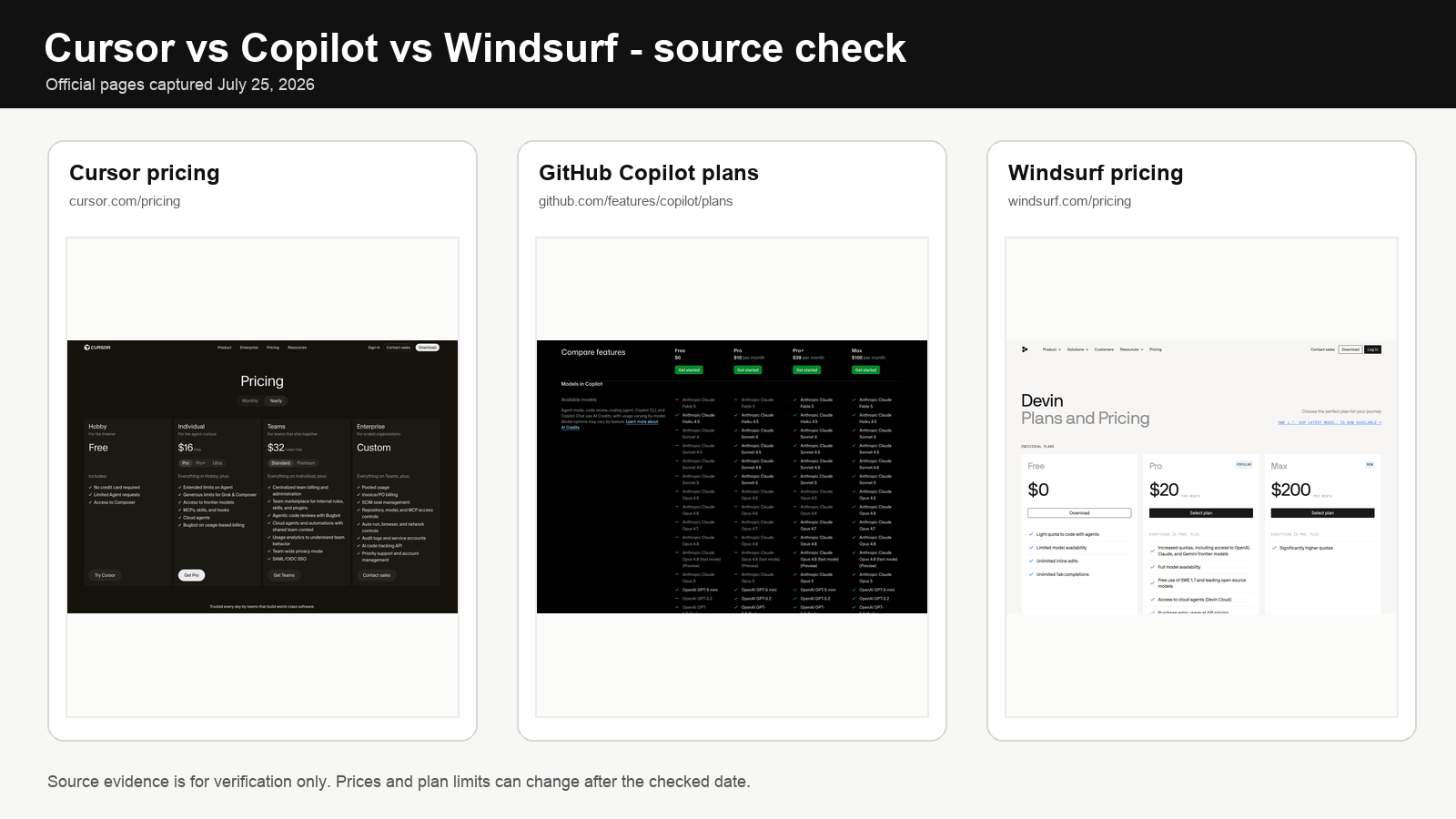
We rechecked the official pricing and billing pages for <a href=”https://cursor.com/pricing” target=”_blank” rel=”nofollow noopener”>Cursor</a>, <a href=”https://github.com/features/copilot/plans” target=”_blank” rel=”nofollow noopener”>GitHub Copilot</a>, and <a href=”https://windsurf.com/pricing” target=”_blank” rel=”nofollow noopener”>Windsurf</a>. We used first-party product and help pages, not affiliate roundups. Prices, plan names, quotas, and credit allowances can change after publication or an update.
</div>
<!– htb-evidence-source-check-end –>
Cursor sells itself as a coding editor with AI built in. GitHub Copilot bolts AI onto whatever editor you already use. Windsurf is the Cursor-shaped alternative that doesn’t use GitHub’s billing model. Windsurf 2.0 now brings local agents and Devin cloud agents into the same product workflow. Pick any of them and you can write code with an LLM. Pick the wrong one for your workflow and you’ll pay for the privilege of not using half of what you bought.
GitHub changed Copilot’s billing on June 1, 2026. AI Credits are the new unit. The old “pay $10 and get everything” model is gone for chat and agent work. This article uses the post-transition pricing.
If your question is specifically <strong>Cursor vs GitHub Copilot pricing</strong>, <strong>GitHub Copilot AI credits</strong>, or whether Windsurf’s quotas are easier to live with, start with the pricing section below. The real split is not “which assistant is smartest.” It is autocomplete cost, agent limits, overflow billing, and how often you let the tool modify code across a whole repo.
<h2>Quick answer</h2>
If you live in VS Code or JetBrains and your work is mostly autocomplete with occasional chat, GitHub Copilot Pro at $10/month is the cleanest deal. Paid completions and next-edit suggestions stay unlimited. Chat and agents pull from a 1,500-credit monthly bucket worth $15 of API usage.
If you want an AI-first editor and you’re willing to switch from VS Code to do it, Cursor Pro at $20/month is the natural pick. The agent workflow is the point. Pro+ at $60/month ($48/month annually) is for daily heavy agent users; Ultra at $200 is for people who pay because they have to, not because they want to.
Windsurf Pro at $20/month is the closest Cursor alternative. The reason to choose it is that you specifically want Cascade, Windsurf’s agentic IDE workflow, and the newer local-plus-cloud agent setup rather than GitHub’s AI Credits model. If you don’t have an opinion on that, Cursor or Copilot probably fit you better.
For teams already standardized on GitHub, Copilot Business at $19/user/month is the safe default. SAML, policy controls, pooled usage, and procurement simplicity matter more than editor novelty. The June-to-September transition promotion has ended; the current standard allowance is 1,900 AI Credits per Business seat and 3,900 per Enterprise seat, pooled at the billing-entity level.
Heavy agent users on any platform should budget above the headline price. The $20 tier on each product is meant for a developer who does some agent work. Daily agent work pushes you to the heavy tier or burns through whatever overflow billing the supplier offers.
<h2>The short decision table</h2>
<table><colgroup> <col style=”width: 33%;” /> <col style=”width: 33%;” /> <col style=”width: 33%;” /> </colgroup>
<thead>
<tr>
<th>Buyer</th>
<th>Best first pick</th>
<th>Why</th>
</tr>
</thead>
<tbody>
<tr>
<td>Solo dev in VS Code who wants an AI-native editor</td>
<td>Cursor Pro or Pro+</td>
<td>Built around agents, frontier model access, MCPs, cloud agents</td>
</tr>
<tr>
<td>Team already standardized on GitHub</td>
<td>Copilot Business or Enterprise</td>
<td>GitHub-native review, policies, billing, repo context, broad IDE support</td>
</tr>
<tr>
<td>Solo dev who wants Cursor-style with Cascade</td>
<td>Windsurf Pro</td>
<td>$20 entry, daily/weekly quotas, strong agent panel, direct model selection</td>
</tr>
<tr>
<td>Heavy daily agent user</td>
<td>Cursor Ultra, Windsurf Max, or Copilot Max</td>
<td>The $20 tier is too small for sustained long sessions</td>
</tr>
<tr>
<td>Enterprise with compliance needs</td>
<td>Copilot Enterprise, Cursor Enterprise, or Windsurf Enterprise</td>
<td>At this point the decision is data policy, SSO, RBAC, audit logs, procurement</td>
</tr>
<tr>
<td>Privacy-sensitive solo user</td>
<td>Cursor with Privacy Mode, or Copilot Business via employer policy</td>
<td>Personal plans have different defaults; business plans give stronger admin controls</td>
</tr>
</tbody>
</table>
<h2>Pricing, AI credits, and agent limits in 2026</h2>
Pricing changes constantly. This is a dated snapshot. Verify the official page on the day you buy.
<table style=”width: 100%;”><colgroup> <col style=”width: 16%;” /> <col style=”width: 16%;” /> <col style=”width: 16%;” /> <col style=”width: 16%;” /> <col style=”width: 16%;” /> <col style=”width: 16%;” /> </colgroup>
<thead>
<tr>
<th>Product</th>
<th>Free</th>
<th>Individual paid</th>
<th>Heavy individual</th>
<th>Team</th>
<th>Usage model</th>
</tr>
</thead>
<tbody>
<tr>
<td>Cursor</td>
<td>Hobby: $0</td>
<td>Pro: $16/mo annual or $20/mo monthly</td>
<td>Pro+: $48/mo annual or $60/mo monthly; Ultra: $160/mo annual or $200/mo monthly</td>
<td>Enterprise custom</td>
<td>Included model usage per plan; overflow can continue in arrears</td>
</tr>
<tr>
<td>GitHub Copilot</td>
<td>Free: $0, 2,000 completions/mo</td>
<td>Pro: $10/user/mo with 1,500 AI Credits</td>
<td>Pro+: $39/user/mo with 7,000 credits; Max: $100/user/mo with 20,000 credits</td>
<td>Business: $19/user/mo; Enterprise: $39/user/mo</td>
<td>AI Credits from June 1, 2026; 1 credit = $0.01; paid completions and next-edit suggestions stay unlimited</td>
</tr>
<tr>
<td>Windsurf/Devin Desktop</td>
<td>Free: $0</td>
<td>Pro: $20/mo</td>
<td>Max: $200/mo</td>
<td>Teams: $80/mo team plan + $40/mo per full dev seat; Enterprise custom</td>
<td>Daily and weekly quota; extra usage billed at API list price</td>
</tr>
</tbody>
</table>
<h2>What the pricing actually means</h2>
The headline rate matters less than how you actually use the product.
Autocomplete-heavy users still get a clean deal from Copilot. GitHub’s docs are explicit: code completions and next-edit suggestions don’t burn AI Credits on paid plans. That makes Pro at $10/month a strong value for anyone who mostly wants suggestions inside VS Code, JetBrains, Visual Studio, Xcode, Neovim, Eclipse, GitHub.com, or the CLI.
Agent-heavy users face a different bill. Copilot Chat, Copilot CLI, the cloud agent, Spaces, Spark, and third-party coding agents all consume credits. Pro includes 1,500 credits ($15). Pro+ includes 7,000 ($70). Max includes 20,000 ($200). If your work is heavy on multi-file edits, agentic refactoring, or tool-calling, the credit tier becomes the real cost — not the seat price.
Cursor and Windsurf don’t use GitHub’s credit unit, but the same economics show up. Cursor says every plan includes model usage with overflow billed in arrears. Windsurf moved to daily and weekly quotas in March 2026, with extra usage billed at API list prices for the model.
A useful cost check is the actual API list price of the underlying model. <a href=”https://openrouter.ai/models”>OpenRouter</a> publishes per-token pricing for most frontier models. If a Cursor month or a Copilot credit bucket translates to fewer real tokens than buying the same model directly, you’re paying for the editor experience and the workflow integration. That trade-off is usually worth it for daily coding. It’s also the right comparison to keep in mind when monthly bills start to look heavy.
The buying rule comes down to one sentence: a light user buys a seat, a heavy agent user buys a seat plus an allowance strategy.
<h2>Feature comparison</h2>
<table><colgroup> <col style=”width: 25%;” /> <col style=”width: 25%;” /> <col style=”width: 25%;” /> <col style=”width: 25%;” /> </colgroup>
<thead>
<tr>
<th>Feature</th>
<th>Cursor</th>
<th>Copilot</th>
<th>Windsurf</th>
</tr>
</thead>
<tbody>
<tr>
<td>Primary surface</td>
<td>Cursor editor, CLI, cloud agents, web/mobile</td>
<td>GitHub.com, VS Code, Visual Studio, JetBrains, Xcode, Neovim, Eclipse, CLI, GitHub Mobile</td>
<td>Windsurf 2.0, Cascade, JetBrains plugin, Agent Command Center, Devin integration</td>
</tr>
<tr>
<td>Autocomplete</td>
<td>Yes, via Tab</td>
<td>Yes, broad IDE support</td>
<td>Yes, Tab listed as unlimited on pricing page</td>
</tr>
<tr>
<td>Multi-file agent edits</td>
<td>Yes, core product direction</td>
<td>Yes, agent mode and cloud agent</td>
<td>Yes, Cascade Code mode</td>
</tr>
<tr>
<td>Codebase context</td>
<td>Built into editor and agent workflow</td>
<td>Strongest in GitHub repos and supported IDEs</td>
<td>Cascade has real-time awareness, context tools, project awareness</td>
</tr>
<tr>
<td>Terminal commands</td>
<td>Cursor CLI and agent surfaces</td>
<td>Copilot CLI</td>
<td>Cascade has terminal tooling</td>
</tr>
<tr>
<td>Pull request review</td>
<td>Cursor Review / Bugbot</td>
<td>GitHub-native code review; now consumes AI Credits plus Actions minutes</td>
<td>Plan-dependent review and Agent Command Center features</td>
</tr>
<tr>
<td>Team controls</td>
<td>Enterprise and admin dashboard</td>
<td>Business and Enterprise policy, budgets, pooled credits, audit</td>
<td>Teams and Enterprise centralized billing, admin dashboard, RBAC/SSO at higher tiers</td>
</tr>
<tr>
<td>Privacy posture</td>
<td>Privacy Mode available; Cursor says model providers don’t store or train on code when enabled</td>
<td>Business/Enterprise data not used to train GitHub models; individual plan rules differ</td>
<td>Enterprise controls depend on plan</td>
</tr>
</tbody>
</table>
<h2>When Cursor wins</h2>
Cursor wins when you accept switching your main IDE — moving away from VS Code, JetBrains, or whatever you currently use, and making Cursor the primary coding environment. The product is built around a single editor where chat, edits, agents, MCPs, cloud agents, rules, and hooks all sit near the code. That fits solo developers, freelancers moving across small repos, and teams willing to standardize on Cursor rather than treat AI as a plugin.
Cursor Pro at $20/month is the natural entry for weekly agent use. The pricing page points daily agent users toward Pro+ and power users toward Ultra. Take that hint seriously. If you expect two short agent sessions a week, Pro is fine. If you expect agents to do feature work every day, run the math on Pro+, Ultra, and external model APIs before assuming $20/month covers it.
Cursor loses when editor lock-in is the constraint. A team already supporting VS Code, JetBrains, Visual Studio, Xcode, and GitHub policy controls may not want a second editor standard. Cursor also loses when procurement requires mature enterprise controls before any tool can touch source code.
<h2>When GitHub Copilot wins</h2>
Copilot wins when the organization already runs on GitHub. Distribution is the main advantage. Copilot works across a long list of IDEs, GitHub.com, GitHub Mobile, the CLI, pull requests, and code review. That fits engineering teams already paying for GitHub, companies that need policy controls, and teams with mixed IDE usage.
The 2026 billing change also changes the team calculation. Copilot Business currently contributes 1,900 AI Credits per seat per month to a shared pool, while Copilot Enterprise contributes 3,900. For example, a 50-seat Business organization starts each month with 95,000 pooled credits before any additional purchased usage.
That pooled model matters because usage is uneven. A few developers running long agent sessions can consume much more than colleagues who mostly use completions, so teams should monitor the shared allowance instead of treating 1,900 credits as a hard per-person cap.
Copilot loses when a solo developer wants predictable heavy agent usage. Pro at $10 is cheap, but its 1,500 credits suit autocomplete, chat, CLI, and limited agent work — not sustained long-running sessions. Pro+ and Max relieve the pressure but push Copilot into the same price range as the heavier Cursor and Windsurf tiers.
<h2>When Windsurf wins</h2>
Windsurf wins when you want a Cursor-style editor and like Cascade specifically. Cascade has Code and Chat modes, tool calling, checkpoints, real-time awareness, linter integration, todo lists, queued messages, and model selection. Up to 20 tool calls per prompt. If a task needs more — long refactorings across many files, large multi-step debugging — Cascade pauses and asks you to continue, which counts as a new prompt and consumes additional quota.
That fits developers who want an editor centered on Cascade, anyone who prefers daily and weekly quotas to GitHub’s credit accounting, and teams that can justify the current Teams structure: an $80/month team plan plus $40/month per full dev seat.
Windsurf Pro is simple at $20/month. Windsurf Max is not a small step up — it’s $200/month. The gap tells you what the company thinks heavy agent usage costs. If Pro feels too small and Max feels too big, test your quota consumption for a week before committing the tool to daily production work.
Windsurf loses when the organization wants GitHub-native review and policy controls, or when the team wants to avoid adopting another editor. It also loses when you want exact month-to-month predictability for heavy agent work — extra usage is billed at API price, and token-heavy tasks burn through quota faster than short chat tasks.
<h2>The billing difference that matters most</h2>
Each product prices a different workflow layer.
<table><colgroup> <col style=”width: 25%;” /> <col style=”width: 25%;” /> <col style=”width: 25%;” /> <col style=”width: 25%;” /> </colgroup>
<thead>
<tr>
<th>Workflow</th>
<th>Cursor</th>
<th>Copilot</th>
<th>Windsurf</th>
</tr>
</thead>
<tbody>
<tr>
<td>Autocomplete</td>
<td>Included with plan limits</td>
<td>Unlimited on paid plans; Free has 2,000/month</td>
<td>Tab listed as unlimited</td>
</tr>
<tr>
<td>Short chat</td>
<td>Uses included model usage</td>
<td>Consumes AI Credits</td>
<td>Uses quota</td>
</tr>
<tr>
<td>Multi-file agent edit</td>
<td>Uses more included usage; overflow bills in arrears</td>
<td>Consumes AI Credits based on model and tokens</td>
<td>Uses quota; extra usage at API price</td>
</tr>
<tr>
<td>Pull request review</td>
<td>Product-specific review features</td>
<td>Consumes AI Credits plus GitHub Actions minutes</td>
<td>Plan-specific review/agent features</td>
</tr>
<tr>
<td>Team pooling</td>
<td>Enterprise/custom</td>
<td>Business and Enterprise pool credits</td>
<td>Teams/Enterprise controls vary by plan</td>
</tr>
</tbody>
</table>
The threshold to remember: if 80% of your value comes from autocomplete and short Q&A, Copilot Pro has the cleanest price. If 80% comes from multi-file agent tasks, compare Cursor Pro+, Cursor Ultra, Windsurf Max, and Copilot Max before buying. A single price line doesn’t capture agent cost.
<h2>Benchmarks: useful, but not a product verdict</h2>
Benchmarks help with model capability. They don’t decide the whole product.
SWE-bench Verified is a human-validated set of 500 software engineering tasks. It tests whether a coding system can resolve real repository issues, not just write snippets. Aider’s polyglot benchmark tests models on 225 coding exercises across C++, Go, Java, JavaScript, Python, and Rust, and reports pass rate plus cost.
Neither benchmark directly answers “Cursor or Copilot or Windsurf?” The same model can behave differently inside a different editor, context system, tool runner, approval flow, and billing limit. Use benchmarks to rule out weak models. Use product criteria to pick the tool.
<h2>Solo developer decision rules</h2>
<table><colgroup> <col style=”width: 33%;” /> <col style=”width: 33%;” /> <col style=”width: 33%;” /> </colgroup>
<thead>
<tr>
<th>Pattern</th>
<th>Pick</th>
<th>Why</th>
</tr>
</thead>
<tbody>
<tr>
<td>Mostly autocomplete and quick chat</td>
<td>Copilot Pro</td>
<td>$10/month, broad IDE support, unlimited paid completions and next-edit suggestions</td>
</tr>
<tr>
<td>Weekly multi-file edits in one editor</td>
<td>Cursor Pro</td>
<td>$20/month, editor-native agent workflow, frontier model access</td>
</tr>
<tr>
<td>Daily agent sessions</td>
<td>Cursor Pro+ or Windsurf Max</td>
<td>The base seats become the wrong cost model for daily agent work</td>
</tr>
<tr>
<td>Heavy GitHub PR workflow</td>
<td>Copilot Pro+ or Max</td>
<td>GitHub-native review and cloud agent matter more than editor-native chat</td>
</tr>
<tr>
<td>Wants Cascade specifically</td>
<td>Windsurf Pro</td>
<td>Cascade workflow is the reason to pick Windsurf</td>
</tr>
<tr>
<td>Wants to avoid usage surprises</td>
<td>Start with the cheaper paid plan and set budgets where possible</td>
<td>Long agent work is the cost driver across all three</td>
</tr>
</tbody>
</table>
<h2>Team decision rules</h2>
Small teams should start with the system they already know how to govern. Copilot Business wins when GitHub is already the company source of truth. It gives admins policy controls, pooled credits, and familiar seat management — and it reduces support burden because developers can keep their existing editor.
Cursor wins when the team is willing to standardize on Cursor and use it as the main development surface. That’s a bigger change than installing a Copilot extension, but it can create a tighter workflow if the team genuinely runs on agents every day.
Windsurf wins when the team wants Cascade and is comfortable managing a separate editor standard. Teams now has an $80/month team-plan charge plus $40/month per full dev seat, so the agent workflow gains have to justify the price — not autocomplete alone.
The procurement threshold is blunt: if your company already blocks unsanctioned tools from reading source code, don’t evaluate the personal plans. Compare Business, Enterprise, or equivalent contracts. The free trial offered to a single developer is not what your security team will allow on production code.
<h2>Common mistakes</h2>
<table><colgroup> <col style=”width: 33%;” /> <col style=”width: 33%;” /> <col style=”width: 33%;” /> </colgroup>
<thead>
<tr>
<th>Mistake</th>
<th>Why it causes trouble</th>
<th>Better rule</th>
</tr>
</thead>
<tbody>
<tr>
<td>Comparing only monthly seat prices</td>
<td>Agent usage overflows included allowances</td>
<td>Compare included usage and overflow behavior</td>
</tr>
<tr>
<td>Treating Copilot Pro as unlimited AI work</td>
<td>Paid completions are unlimited, but chat and agents consume credits</td>
<td>Separate autocomplete from agent work in the budget</td>
</tr>
<tr>
<td>Buying Cursor without accepting the editor switch</td>
<td>Cursor’s advantage depends on using Cursor as the main coding surface</td>
<td>Test the editor workflow before annual billing</td>
</tr>
<tr>
<td>Buying Windsurf because Pro is $20</td>
<td>Heavy usage pushes you toward Max or overflow charges</td>
<td>Run a week of normal tasks and inspect quota use</td>
</tr>
<tr>
<td>Using SWE-bench as a product ranking</td>
<td>It evaluates systems and models, not team fit or billing</td>
<td>Use benchmarks as model context only</td>
</tr>
<tr>
<td>Ignoring data policy differences</td>
<td>Individual and business plans can differ on training, storage, and controls</td>
<td>Check privacy and admin docs before touching source code</td>
</tr>
<tr>
<td>Letting every developer pick a different tool</td>
<td>Context files, conventions, and support practices fragment</td>
<td>Standardize at least one team default</td>
</tr>
<tr>
<td>Forgetting code review billing</td>
<td>Copilot code review consumes AI Credits plus Actions minutes</td>
<td>Budget review workflows separately from chat</td>
</tr>
</tbody>
</table>
<h2>What this guide does not cover</h2>
This guide compares public pricing, documented features, and decision rules. It does not cover:
<ul>
<li><strong>Hands-on developer experience.</strong> Heresthebest did not run a controlled A/B benchmark on the same task. The “When X wins” sections reflect public capability, not measured productivity</li>
<li><strong>Private enterprise discounts.</strong> Negotiated rates can change the math. List prices are the starting point</li>
<li><strong>Latency by region or restricted networks.</strong> Locked-down corporate networks, low bandwidth, and enterprise proxies can change performance</li>
<li><strong>Legal and compliance review.</strong> Source-code access by an AI vendor is a real legal question. Get internal review before annual procurement</li>
<li><strong>Self-hosted or air-gapped variants.</strong> Some companies require fully self-hosted coding assistants. That constraint changes the entire decision</li>
</ul>
<h2>FAQ</h2>
<h3>Is Cursor better than GitHub Copilot?</h3>
Cursor is better when you want an AI-first editor and expect agents to edit multiple files inside one environment. Copilot is better when you want broad IDE support, GitHub-native pull request features, policy controls, and a lower individual entry price. For most teams already standardized on GitHub, Copilot is the cleaner default. For most solo developers willing to switch editor, Cursor is the stronger pick.
<h3>Is Windsurf cheaper than Cursor?</h3>
At the entry tier, Windsurf Pro and Cursor Pro both list $20/month monthly. Cursor also lists annual Pro pricing at $16/month. Heavy usage changes the comparison: Cursor Pro+ is $60/month monthly, Cursor Ultra is $200, Windsurf Max is $200. The cheaper headline doesn’t translate into cheaper heavy use. At the top tier, Cursor Ultra and Windsurf Max converge at the same $200/month.
<h3>What changed with GitHub Copilot on June 1, 2026?</h3>
GitHub moved Copilot to usage-based billing with AI Credits. One credit equals one U.S. cent. Pro includes 1,500 credits, Pro+ includes 7,000, Max includes 20,000. Paid code completions and next-edit suggestions stay unlimited. Chat, CLI, cloud agent, Spaces, Spark, and third-party coding agents all consume credits.
<h3>Which tool is best for a small team?</h3>
For a small team already on GitHub, Copilot Business is the default first evaluation. It minimizes workflow change and gives admins budget and policy controls. Cursor or Windsurf can still win if the team wants an AI-first editor, but the cost is editor standardization, onboarding, repo rules, and a different review flow.
<h3>Which tool is best for privacy-sensitive code?</h3>
Don’t decide from the marketing page. Cursor documents Privacy Mode and says code data is not stored by model providers or used for training when enabled. GitHub says Business and Enterprise data isn’t used to train its models. Windsurf’s enterprise controls depend on plan and contract. The practical rule: personal plans are for personal code. Employer source code goes through business or enterprise plans with admin controls.
<h3>Do benchmarks prove which product is best?</h3>
No. SWE-bench Verified and Aider’s leaderboard help evaluate models and coding systems. They don’t measure how a specific developer performs with Cursor, Copilot, or Windsurf inside a real repository with real team policies. Use benchmarks for model context, not product selection.
<h2>Related guides</h2>
<ul>
<li><a href=”/chatgpt-vs-claude-vs-gemini-productivity-2026/”>ChatGPT vs Claude vs Gemini for Productivity in 2026</a></li>
<li><a href=”/best-ai-workflow-stack-solopreneurs-2026/”>Best AI Workflow Stack for Solopreneurs in 2026</a></li>
</ul>
<h2>Sources</h2>
<ul>
<li><a href=”https://cursor.com/pricing”>Cursor pricing</a> — plans, tiers, model usage notes</li>
<li><a href=”https://cursor.com/security”>Cursor security</a> — Privacy Mode</li>
<li><a href=”https://cursor.com/en-US/product”>Cursor product page</a> — product surfaces</li>
<li><a href=”https://github.com/features/copilot/plans”>GitHub Copilot plans</a> — pricing, credits, feature matrix</li>
<li><a href=”https://docs.github.com/en/copilot/concepts/billing/usage-based-billing-for-individuals”>GitHub Copilot usage-based billing for individuals</a> — individual allowances</li>
<li><a href=”https://docs.github.com/en/copilot/concepts/billing/usage-based-billing-for-organizations-and-enterprises”>GitHub Copilot usage-based billing for organizations and enterprises</a> — pooled credits and budgets</li>
<li><a href=”https://docs.github.com/en/copilot/reference/copilot-billing/models-and-pricing”>GitHub Copilot models and pricing</a> — token pricing and code review billing</li>
<li><a href=”https://github.blog/changelog/2026-06-01-updates-to-github-copilot-billing-and-plans/”>GitHub Changelog</a> — June 2026 billing launch</li>
<li><a href=”https://windsurf.com/pricing”>Windsurf pricing</a> — current Windsurf pricing and plan options</li>
<li><a href=”https://docs.windsurf.com/windsurf/accounts/usage”>Windsurf plans and usage</a> — plan and usage model</li>
<li><a href=”https://docs.windsurf.com/windsurf/accounts/quota”>Windsurf quota-based usage</a> — quotas and overflow</li>
<li><a href=”https://docs.windsurf.com/windsurf/cascade/cascade”>Windsurf Cascade overview</a> — Cascade modes and tool calling</li>
<li><a href=”https://www.swebench.com/verified.html”>SWE-bench Verified</a> — software engineering benchmark</li>
<li><a href=”https://aider.chat/docs/leaderboards/”>Aider LLM Leaderboards</a> — model-level coding benchmark</li>
<li><a href=”https://openrouter.ai/models”>OpenRouter model pricing</a> — per-token list prices for frontier coding models</li>
</ul>
If price is the deciding factor, use <a href=”https://heresthebest.com/ai-coding-assistants-pricing-compared-july-2026/”>the July 2026 pricing breakdown</a>.