
Last updated: October 7, 2026
All three can hold your notes. That’s where the resemblance ends.
How we checked this
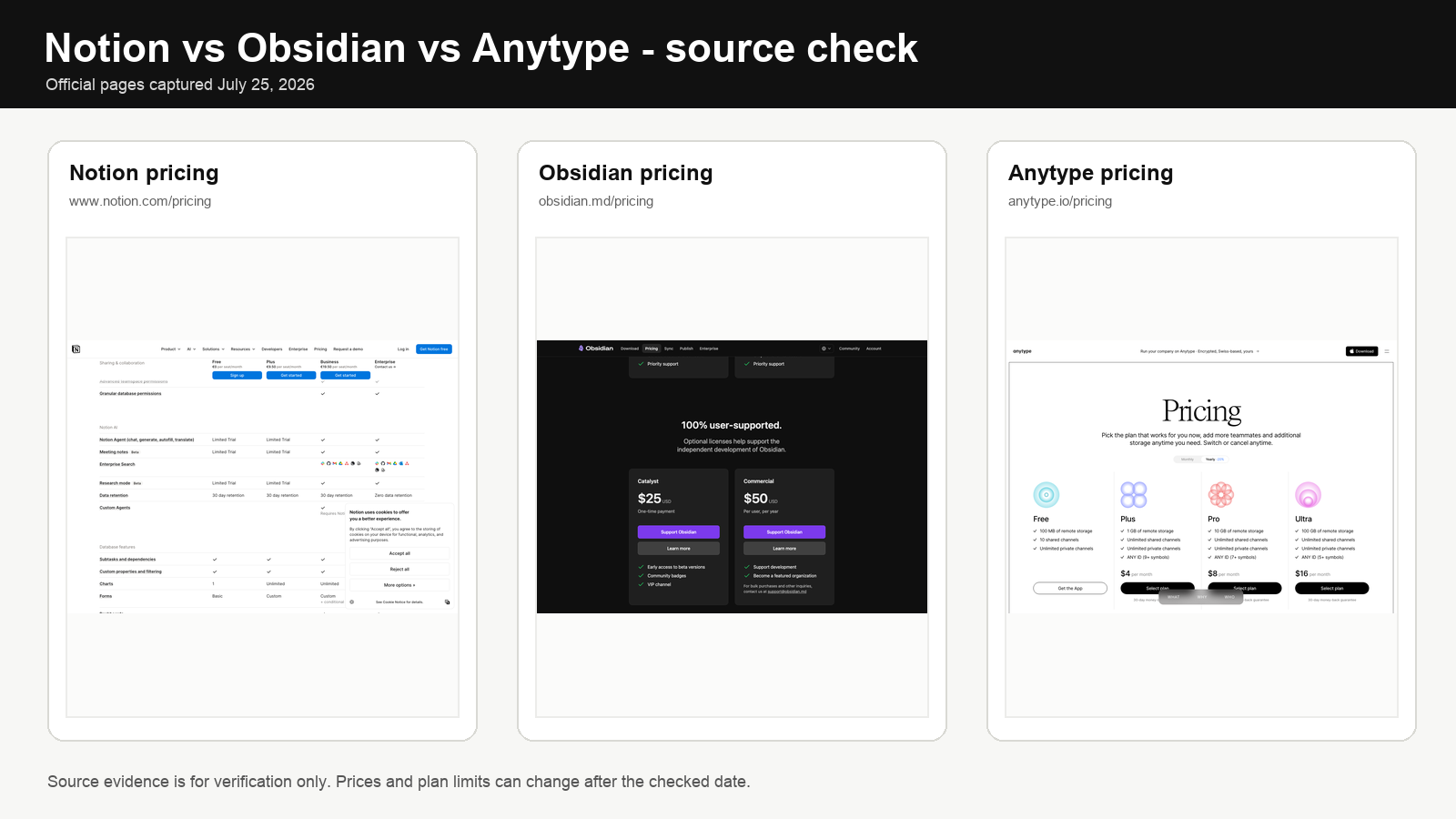
We use the official pricing and documentation for Notion, Obsidian, and Anytype, including current offline/storage behavior and Anytype’s shipped formulas and integrations. We used first-party product and help pages, not affiliate roundups. Prices, plan names, and limits can change after the checked date.
Notion is a cloud workspace that wants to run your team. Obsidian is a folder of Markdown files that sits on your laptop and waits. Anytype is the local-first option for people who don’t want anyone else holding their encryption keys — including the company that makes the software.
If you searched Obsidian vs Notion vs Anytype, the useful question is not which app has the longest feature list. It is whether you want file ownership, shared databases, or local-first encrypted objects. That single choice decides more than any pricing table.
The cost of picking wrong shows up around month nine. Suddenly you’re moving relations into a new tool, rebuilding plugins, retraining four people, and explaining to one stubborn colleague why the old setup isn’t coming back. Switching is never free, and the bigger your knowledge base, the more it costs.
Prices vary by billing cycle, currency, tax, and app store. Check the linked official pricing pages on the day you buy.
Quick answer
For a team of five or more that lives in shared databases, pick Notion. Get Plus, not Business, unless you specifically need SAML.
For one person who wants to own the files, pick Obsidian. The application is free. Budget €48/year for Sync if you use more than one device.
For privacy-first workflows where losing control of your data is unacceptable, pick Anytype. Older comparisons understate how much it now ships: the current docs include grid formulas plus integrations through a Local API, MCP Server, CLI tooling, and an Agents skill. It still does not offer Obsidian’s huge community-plugin ecosystem or Notion’s breadth of team automation.
If you’re a student with an institutional email, Notion will give you Plus for free. That changes the math entirely, so check the education section before deciding.
Obsidian vs Notion vs Anytype: the decision table
| Reader profile | Best default | Why it wins | Main warning |
|---|---|---|---|
| Solo writer or researcher | Obsidian | Files stay portable, plugin ecosystem is the deepest | The plugin rabbit hole eats more time than the writing |
| Five-person operational team | Notion | Databases, forms, permissions, comments, the works | Per-seat cost compounds fast |
| Privacy-first individual | Anytype | You hold the keys, period | Lose the recovery phrase and the data is gone for good |
| Privacy-first team | Anytype | Encrypted collaboration with self-hosting if you need it | Admin tools and integrations are still maturing |
| Student with an .edu email | Notion | Plus is free for eligible students | The free tier expires when you graduate — plan the exit |
| Academic with a citation archive | Obsidian | Markdown survives your academic career and your laptop | Setup costs hours; rewards arrive in months |
| Team needing SAML and granular permissions | Notion Business | Those controls actually require the Business tier | $20/seat/month adds up to a real number at headcount 20 |
| Solo user expecting a team within 12 months | Notion | One workspace from the start avoids a painful migration later | Per-seat pricing kicks in the moment you grow |
Pricing in 2026
The cheapest plan isn’t always the cheapest setup. Obsidian Sync costs money. Notion charges per person. Anytype Free gives you 100 MB of cloud storage, which is fine for text and miserable for anything else.
Notion pricing
Notion shows the yearly-billing price by default. The monthly rate is higher. Watch the toggle when you check.
| Plan | Yearly-billed rate | What you actually get |
|---|---|---|
| Free | $0 | 5 MB max upload size, 7-day history, 10 guests, you choose what to take offline |
| Plus | $10/member/month | Unlimited uploads (5 GB per file), 30-day history, unlimited guests, automatic offline for recent and favorite pages |
| Business | $20/member/month | Notion Agent, AI Meeting Notes, Enterprise Search, SAML SSO, 90-day history, granular database permissions |
| Enterprise | Quote | SCIM, audit log, advanced security, unlimited history, zero data retention with model providers |
Notion AI used to be an $8/month add-on. It isn’t anymore. AI features are baked into Plus at a basic level and into Business in earnest. Custom Agents are billed separately at $10 per 1,000 Notion credits if you actually use them, which most teams won’t.
Obsidian pricing
The core app is free. There is no asterisk on that.
| Product | Annual rate | Monthly rate |
|---|---|---|
| Obsidian (core application) | Free | Free |
| Sync | $4/user/month | $5/user/month |
| Publish | $8/site/month | $10/site/month |
| Catalyst | $25 one-time | — |
| Commercial license | $50/user/year | — |
Sync is optional. So is Publish. Catalyst is a thank-you donation that unlocks insider builds — nice if you want them, completely skippable if you don’t. The Commercial license is voluntary even for work use; Obsidian’s official position is that they don’t enforce it.
Anytype pricing in 2026
Official Anytype pricing: Free includes 100 MB of remote storage and 10 shared channels; Plus is $4/month with 1 GB; Pro is $8/month with 10 GB; Ultra is $16/month with 100 GB. Yearly billing is 20% cheaper. Anytype for Business is a separate product at €20 per editor/month for the cloud-hosted version, with viewers free; annual billing saves 20%.
Important 2026 roadmap note: the Anytype team has announced Anytwo, a rebuilt successor that is not backward-compatible with the current app. Moving to it will require a hard migration through a planned bridge. The current Anytype app will continue to work and is moving to the MIT license, but its development pace is expected to slow as engineering focus shifts to Anytwo. The first public Anytwo release is planned for the end of 2026 and will not initially have full feature parity.
The pricing page shows monthly rates by default. Yearly billing knocks 20% off.
| Plan | Monthly rate | Storage | Shared channels |
|---|---|---|---|
| Free | $0 | 100 MB | 10 |
| Plus | $4/month | 1 GB | Unlimited |
| Pro | $8/month | 10 GB | Unlimited |
| Ultra | $16/month | 100 GB | Unlimited |
| Business | Quote | Custom | Self-hosted, SSO, admin panel |
You can self-host the network for free. That means no membership fees. It also means you take on the server, the backups, the upgrades, and the 2 a.m. phone call when something breaks. Calling self-hosted “free” is a polite lie everyone in the open-source world tells.
What the annual cost looks like
Numbers, not vibes.
One person, two devices
- Notion Free: $0 if you can live with 5 MB uploads and the offline-page selector
- Obsidian + Sync: $48/year
- Anytype Plus: $48/year at monthly billing, less with the yearly discount
Anytype and Obsidian land at the same number for the same use case. The choice between them is privacy posture versus plugin ecosystem.
Five-person working team
- Notion Plus: $600/year ($10 × 5 × 12)
- Notion Business: $1,200/year ($20 × 5 × 12)
- Obsidian Sync for 5: $240/year, but you’re sharing a folder, not running shared workflows
- Anytype personal Plus for 5: $240/year at monthly billing, but this is not the same product as Anytype for Business. Anytype for Business is €20/editor/month cloud-hosted, with viewers free and a 20% annual discount.
The Notion price isn’t a punishment. You’re buying the database engine, permission model, forms, automations, and mature team administration. Obsidian Sync and Anytype personal memberships can be cheaper because they solve a different problem; Anytype for Business now competes more directly with Notion by adding SSO, an admin panel, and central member management.
Privacy-first team running their own infrastructure
Personal Anytype can still run on a self-hosted network without a membership fee, but that is different from Anytype for Business. Business self-hosting is announced at €300/month flat regardless of team size and is not yet available. Either route adds infrastructure, backup, and upgrade work that a hosted SaaS plan absorbs for you.
What each product actually does
Notion is built for teams that share work
The thing Notion does that the others don’t is link records together and act on those relations. Customer record connects to project. Project connects to status. Status filters the dashboard. Dashboard becomes the Monday meeting. That’s the loop.
Exports work, technically. You can pull pages out as HTML or Markdown and databases as CSV. What doesn’t come out is the behavior — the views, the relations, the permissions, the formulas, the automations. The text survives. The system doesn’t.
That’s the lock-in, and it’s real. Pretending otherwise is a disservice to anyone planning a multi-year knowledge base.
Obsidian starts from your filesystem and never leaves it
Your notes are Markdown files in a folder. That’s it. Any text editor on earth can open them. If Obsidian disappeared tomorrow, your notes wouldn’t.
What Obsidian adds is the connective tissue — backlinks, tags, properties, Canvas for visual thinking, and a plugin ecosystem that runs on JavaScript. The good plugins are excellent. There are a lot of them. Choosing which ones to use and keeping them updated becomes a hobby for some people, which is great if that’s what you want and frustrating if it isn’t.
The cost of Obsidian’s freedom is that you’re responsible for the design. There’s no opinionated way to do anything.
Anytype puts encryption ahead of features
Your data lives on your device first, encrypted with keys only you hold. Sync runs through Anytype’s network, your local peers, or a server you control. If you lose your recovery phrase, the company can’t help you. They literally cannot. That’s the point of the architecture.
The object model is more structured than Obsidian’s Markdown — you get notes, tasks, collections, shared channels, calendar views, and grid formulas out of the box. Anytype also now documents integrations through its Local API, MCP Server, CLI tooling, and an Agents skill. Those additions make the 2026 product materially more capable than older feature-list comparisons suggest.
That still is not the same thing as Obsidian’s mature community-plugin marketplace or Notion’s broad cloud automation stack. Judge the application by the workflows it ships today rather than assuming ecosystem parity.
Offline access and synchronization
Notion’s offline mode works on desktop and mobile. On Free, you tick the pages you want available. On Plus and above, your recent and favorite pages download automatically. Database behavior is partial when offline — some block types simply don’t load — and downloads are device-specific, so the laptop and the phone need to be synced separately.
Obsidian is offline by default. The vault is a folder of files on your disk. Sync is what you add when you have more than one device, and it costs money.
Anytype is also local-first. Your objects work without an internet connection. Sync runs in the background through Anytype’s network, your local peers, or your self-hosted server.
If “I want to write on a plane” is a hard requirement, Obsidian and Anytype are both solid. Notion will work if you remembered to flag the pages before takeoff.
Privacy, encryption, and recovery
Three different risk models. Three different things to worry about.
Notion is a cloud service. Your data sits on their servers. They state that lower plans have 30-day data retention with model providers; Enterprise has “Zero Data Retention” (their term, capitalized in their pricing). The workspace security is mature — SAML, granular permissions, audit logs at the right tier — but you’re trusting Notion to be a good custodian. That’s a different question from “is my data safe.”
Obsidian collects no telemetry. The vault is on your machine. Sync, if you use it, is AES-256 end-to-end encrypted. What Obsidian doesn’t do is encrypt your local vault, so an unlocked laptop is still an open laptop. Full-disk encryption matters. A strong device password matters. The cloud part of your stack is encrypted; the device part is up to you.
Anytype encrypts everything except local search indexes. Those indexes are stored unencrypted on your device, which is why disk encryption isn’t optional if you’re using Anytype seriously. The recovery phrase is the only way back in, and the company has no master key. Lose it on a sticky note that gets thrown away, and your data is gone.
A recovery phrase saved in your Notion workspace is not a backup. A recovery phrase in an Obsidian note on the same laptop is not a backup. Store it somewhere that survives the loss of the device.
Plugins, integrations, databases, and AI
Notion has a public API, webhooks, database automations, and a growing list of native integrations. It is not a place where you install community plugins. You build with the platform; you don’t extend it.
Obsidian’s plugin ecosystem is the deepest of the three. By a long way. Community plugins run third-party JavaScript on your machine, which is a real security model — you have to disable Restricted Mode to install them, and they don’t auto-update. The benefit is that almost any workflow you can imagine has been built by someone. The cost is that some of those someones write better code than others.
Anytype’s integration story is no longer empty: the official docs now cover a Local API, MCP Server, CLI tooling, an Agents skill, and other integrations. Obsidian still wins on community plugins, while Notion remains stronger for packaged team automations and built-in AI workflows. If ecosystem breadth matters more than local-first architecture, Anytype is still the narrower choice.
For a parallel decision frame on how AI assistants integrate with knowledge tools more broadly, see ChatGPT vs Claude vs Gemini for productivity.
Which one fits the actual use case
Solo writer or researcher
Obsidian. The Markdown ownership matters most when the archive needs to outlive both the application and your current laptop. Plan to spend a Saturday setting up plugins and a folder structure that makes sense. Then resist the urge to fiddle further — finished workflows aren’t supposed to be interesting.
Small team that runs on shared databases
Notion Plus. Not Business unless you specifically need SAML. The Plus tier already has automatic offline, unlimited uploads, and a 30-day history, which covers most team realities. Business is for the moment your security team starts asking about single sign-on, and not before.
Privacy-first individual or team
Anytype. The privacy model is the differentiating feature, and it’s real. Just don’t expect parity with Obsidian’s plugin culture or Notion’s collaboration depth. You’re trading those things on purpose.
Academic with a citation-heavy archive
Obsidian. Markdown plays well with reference managers (Zotero, especially), the vault is portable across institutions and laptops, and plugin combinations exist for almost any citation workflow. The investment is upfront and the dividends are years long.
Solo now, team later
Notion. If you can see a five-person team in the next 12 months, start in Notion now. The migration from personal Markdown notes into shared databases later is the worst kind of project — invisible work that has to happen on a deadline. Notion solves the problem before it exists. Per-seat pricing kicks in the moment you grow, so know what you’re signing up for.
Student and education pricing
This is where the math changes.
Notion: eligible students and teachers at accredited institutions get Plus for free on a one-member workspace. You need an institutional email, and your school has to appear in the World Higher Education Database. Verified student organizations can apply for a free Plus workspace with unlimited members. The application is online, the verification is automatic for most schools, and the offer is the strongest immediate value of the three.
Obsidian: 40% off Sync and Publish for students, faculty, and nonprofit employees. The core application is already free, so this is a discount on the optional services. Catalyst stays at $25 for everyone — student pricing doesn’t apply there.
Anytype: 50% off membership for educators and students. Application required.
If you’re eligible, free Notion Plus beats any other deal in this comparison. The honest catch: graduate, and the free tier expires. Plan how your archive survives the transition. The cleanest path is Obsidian — install it as a backup target during your time on Notion, periodically export, and you have a Markdown copy of everything when the day comes.
When the free tier is enough
Notion Free works when
You’re one person. You write text. Your files are under 5 MB. Seven days of history feels like enough. You pick the pages you want offline before getting on a plane.
Obsidian Free works when
The vault stays on one device. You’re fine with handling sync yourself (iCloud Drive, Dropbox, Syncthing — pick your favorite). You don’t need web publishing. You’re comfortable with the responsibility that comes with file ownership.
Anytype Free works when
You’re storing mostly text. 100 MB of cloud storage feels like enough. Ten shared channels cover the people you want to collaborate with. You’re fine with the current shipped feature set and not waiting on the requested one.
Obsidian’s free core is the least restricted of the three. Notion is the easiest free cloud start. Anytype gives you the smallest cloud-storage allowance.
Migration and exit cost
Notion’s export pulls text out as HTML or Markdown and databases as CSV. What doesn’t come out is the workspace behavior — your relations, views, permissions, forms, and automations. You can rebuild text in another tool. You cannot rebuild a Notion workspace in another tool without weeks of work.
Obsidian has the lowest exit cost of the three. The vault is already Markdown. Open the folder in any editor and you’re done. Plugins introduce their own conventions, so a plugin-heavy vault is more dependent than a vanilla one. But the underlying prose stays readable forever.
Anytype imports common formats and exports Markdown or Any-Block structured data. The structured object behavior may not survive a Markdown round-trip — relations become text, basically — but the content does.
Easiest to leave: Obsidian. Then Anytype. Then Notion, by a long way.
When each tool wins, and when it loses
Notion wins when
You have five or more people doing work that runs on shared databases. Forms, permissions, and status views are the center of how the team operates. Onboarding has to be simple enough that the non-technical members can use the tool by lunch on day one. Or you specifically need SAML and granular database permissions — that’s the threshold for Business.
Notion loses when
The notes have to be local files. Likewise, Notion is a poor fit when reliable offline access cannot depend on remembering to download pages first. A growing team’s per-seat bill can also become genuinely expensive. Finally, avoid it when you expect to leave within a year and do not want to rebuild database behavior elsewhere.
Obsidian wins when
One person owns the knowledge base. Markdown portability outranks collaboration features. Offline work is the default, not the exception. Specialized plugins justify the maintenance overhead that comes with them.
Obsidian loses when
A team needs forms, granular permissions, and structured operational databases. Or the users don’t want to choose plugins, configure them, or maintain them. Or consistent behavior across many people matters more than per-user customization.
Anytype wins when
User-held keys are non-negotiable. Encrypted collaboration is required. Local-first operation is the architectural starting point. Self-hosting is worth the operational overhead it carries. You are also comfortable treating a 12-word Anytype Key as critical recovery material.
Anytype loses when
You need a mature community-plugin marketplace, Notion-level team automation, or a wide range of packaged SaaS integrations. Or you want plain Markdown as the canonical source of truth. Or losing a 12-word recovery Key without a provider safety net is unacceptable. In 2026 there is also product-transition risk: Anytwo is being rebuilt on new foundations and requires a future hard migration from current Anytype, so teams that need roadmap stability today should factor that into the decision.
Common mistakes
| Mistake | Why it costs you | Better rule |
|---|---|---|
| Buying Notion Business as a solo user | Most Business value is team administration you don’t have | Start on Free or Plus; name the specific Business feature that justifies the jump before paying for it |
| Calling Obsidian “free cloud sync” | The application is free; official Sync is not | Budget $48/year per user for Sync, or commit to running your own sync method |
| Installing 30 Obsidian plugins in week one | Dependencies stack up before you know what your workflow actually needs | Add a plugin only after a repeated problem makes the case for it |
| Treating a Notion export as a backup that restores | Text and CSV won’t recreate views, relations, or automations | Test the export and the rebuild before the workspace becomes critical |
| Choosing Anytype for roadmap features | Requested features are not shipping features | Evaluate the application as it ships today |
| Ignoring device encryption with a local-first tool | Local-first data is still exposed on an unlocked device | Enable full-disk encryption and a strong login password |
| Losing recovery credentials with no backup | Anytype and encrypted Sync can’t recover what they can’t see | Store recovery material offline, in a place that survives device loss |
| Comparing self-hosting only by license price | Hosting, upgrades, monitoring, and backups consume hours | Add infrastructure and labor to the annual number |
What this comparison does not cover
- Performance on very large vaults (1M+ notes, multi-GB databases). Each product behaves differently at scale; benchmarking is outside this analysis
- Regulated-industry compliance (HIPAA, SOC 2, ISO 27001). Notion Enterprise has the strongest published compliance posture; verify directly before committing
- Mobile parity. All three have mobile apps, but desktop parity varies. Test on your primary device before locking in
- Voice notes, drawing, OCR. Some users build entire workflows around these; each product handles them differently and not all support them natively
- Specialty alternatives. Apple Notes, OneNote, Logseq, Reflect, Tana, Mem, Roam Research, Confluence, Quip, Coda, Airtable — all excluded on purpose. Different categories or different scope
FAQ
Is Obsidian better than Notion for a second brain?
For most people building a personal knowledge base, yes. Markdown ownership and the plugin ecosystem fit second-brain workflows better than database-and-forms thinking. Notion can do it — you can do almost anything in Notion — but Obsidian is the natural fit.
Is Anytype more private than Obsidian?
Yes, for the data you sync. Anytype’s encryption model is end-to-end with user-held keys. Obsidian’s local vault sits on your disk in plain Markdown, which is private as long as your laptop is private. Obsidian Sync is also encrypted, but the local-vs-cloud trade-off lands differently for the two tools.
Can Notion work fully offline?
Mostly, with caveats. Pages and databases you’ve downloaded work offline. Some block types and database features are limited. Free users select pages manually; Plus and above automate it for recent and favorite pages. It’s offline-capable, not offline-first.
Is Obsidian Sync required?
No. Sync is the official option, but iCloud Drive, Dropbox, OneDrive, Git, or Syncthing all work. Each has trade-offs around conflict handling and mobile reliability. Pick what fits your stack.
Can a team replace Notion with Anytype?
Sometimes, but it is no longer a simple ‘no.’ Anytype for Business now offers SSO, an admin panel, central member management, and a cloud-hosted team workspace at €20 per editor/month. Notion is still the more mature choice for packaged databases, forms, automations, and SaaS integrations. Anytype is a serious alternative when local-first architecture, encryption, or sovereignty matters more, but the announced Anytwo transition makes Notion the lower-roadmap-risk choice for teams deploying today.
Which tool is easiest to leave?
Obsidian. The vault is already Markdown in a folder you control. Anytype’s content exports but its structured behavior may not. Notion’s text exports but its workspace behavior does not.
Which free plan is best for one person?
Obsidian. The free core is more capable than Notion Free or Anytype Free for a single user. Notion Free is fine if you specifically want a cloud workspace with no upfront cost. Anytype Free works if 100 MB of cloud storage is genuinely enough.
Which tool is best for students?
Notion, if you can get free Plus through your institution. Obsidian, if you want an archive that survives graduation. The honest answer is to use both — Notion during school for collaboration, Obsidian as a Markdown backup target that becomes your post-graduation primary.
Related guides
- Cursor vs Copilot vs Windsurf 2026
- Coursera vs Udemy vs Skillshare 2026
- Best AI Workflow Stack for Solopreneurs in 2026
Sources
- Notion pricing — current plans, file limits, history, offline differences, AI features, security.
- Notion for education — free Plus eligibility for students, teachers, and verified student organizations.
- Notion offline pages — device downloads, automatic downloads, database limits, unavailable offline blocks
- Notion export documentation — HTML, Markdown, CSV, PDF, full-workspace exports
- Obsidian pricing — free core, Sync, Publish, education discount, Catalyst, Commercial license.
- How Obsidian stores data — local Markdown files and vault structure
- Obsidian Sync security and privacy — end-to-end encryption and recovery constraints
- Obsidian community plugins — third-party code, Restricted Mode, update behavior
- Anytype pricing — current memberships, storage, education discount, yearly reduction, and self-hosting
- Anytype privacy and encryption — key ownership, encrypted objects, local indexes, recovery limitations
- Anytype import and export — supported import and export formats
- Anytype feature list — implemented and requested capabilities
- Anytype self-hosting and networks — default, local-only, and self-hosted network options
- Anytype team: Anytwo and the future of Anytype — hard migration, current Anytype support, open-source plans, release timing, and membership uncertainty
For a wider map of the category, see the wider AI note-taking field.