Last updated: April 14, 2026
Most platform comparisons get one thing wrong immediately: they compare Coursera, Udemy, and Skillshare as if they are trying to solve the same problem. They are not. One is strongest when you want structured programs and recognizable credentials. One is strongest when you need a fast tactical skill and do not want to overcommit. One is strongest when creative momentum matters more than formal signaling. Choosing the wrong one is not a small mistake — it usually means paying for structure you resent or freedom you misuse.
This guide compares Coursera vs Udemy vs Skillshare in 2026 with real pricing, subscription math, credential value, refund friction, quality-control logic for choosing courses, and concrete decision rules for each learner type. The goal is a specific answer, not a balanced hedge.
Watch one quick comparison before you choose a platform
This video works as a useful first pass because it frames the decision around learning goals and platform behavior, not just price tables and generic feature lists.
Quick answer
Coursera is worth paying for when you want a structured, multi-week program with an employer-recognized credential at the end — particularly Google, IBM, or Meta Professional Certificates, or university-affiliated specializations in data, tech, or business. Udemy is worth paying for when you need one specific skill and want to pay once for lifetime access — at the $12–18 sale price most courses actually cost, individual Udemy courses are one of the best-value learning purchases available. Skillshare is worth paying for when creative momentum and project-based output matter more than credentials — for designers, illustrators, content creators, and anyone who learns better by making things than by sitting through formal curriculum.
If your learning is tightly connected to work and AI upskilling, pair this with best AI workflow stack for solopreneurs and AI tools for freelancers 2026.
Platform pricing: what you actually pay in 2026
| Platform | Entry option | Mid-tier | Full subscription | Refund policy |
|---|---|---|---|---|
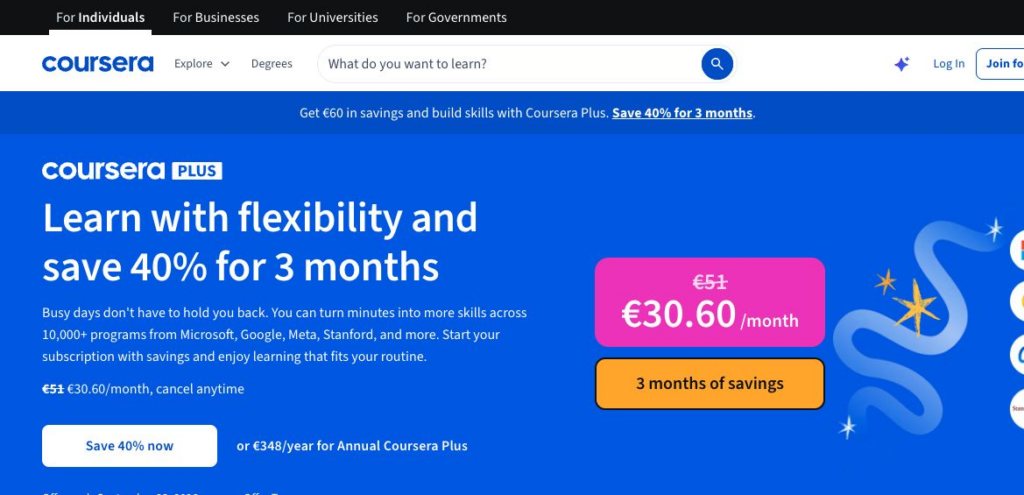
| Coursera | Free preview or audit on many courses (no certificate) | Specializations and Professional Certificates typically start at $49/month, though some promotional or program-specific pricing can run lower | Coursera Plus: $59/month after a 7-day free trial, or $399/year list price with a 14-day refund window on the annual plan; promos can lower the annual price | Most subscriptions use a 7-day free trial; Coursera Plus annual has a 14-day refund window |
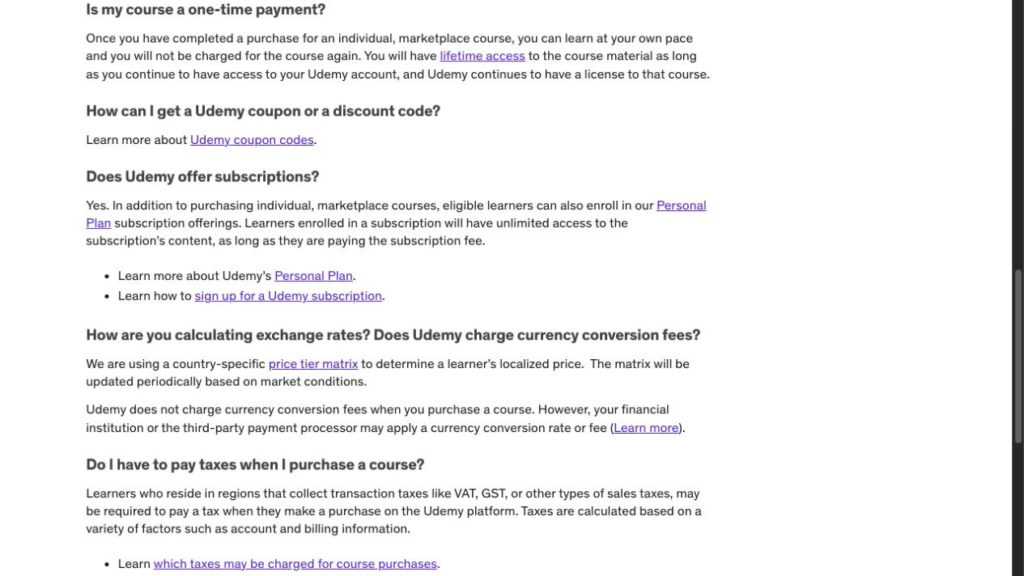
| Udemy | Individual courses: listed at $19.99–$199.99, but Udemy routinely runs promotions and many learners pay far less during sales | Udemy Personal Plan: monthly or annual pricing varies by region and offer; check checkout pricing in your market | Personal Plan includes much, but not all, of the catalog | Eligible course purchases have a 30-day refund window; subscriptions do not carry the same 30-day guarantee |
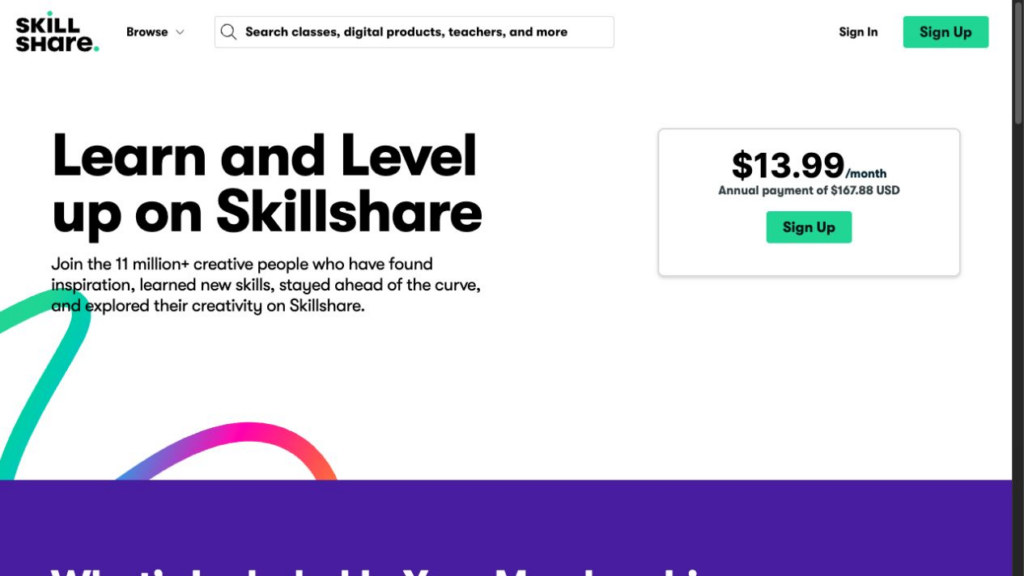
| Skillshare | Free trial, often 7 days and sometimes longer in limited promotions | Pricing varies by region and billing channel; monthly billing is often sold through app stores or gift options | Annual web pricing is shown at checkout and varies by region; common US reference pricing has often landed in the mid-$100s/year | With a 7-day trial, support may grant a one-time refund if contacted within 48 hours of the first charge and the account has not been used; longer trials and renewals are generally non-refundable |
The pricing trap on Coursera: many users start a Specialization at roughly $49/month planning to finish in two months (estimated cost: about $98) and end up taking four months (actual cost: about $196). The platform does not automatically cancel when your progress slows — it just keeps charging. Before subscribing to a Specialization, check the estimated completion time and divide by your realistic weekly hours. A 3-month certificate at 10 hours/week is doable; a 3-month certificate at 3 hours/week often stretches to 9 months and costs roughly $441.
The pricing reality on Udemy: treat the headline list price as an anchor, not as the number most learners actually pay. Udemy officially says promotions and coupon availability vary by region, offer, and timing, and in practice discounted checkout prices are common. If the course you want is currently sitting at a high list price, give it a few days, check from a web browser rather than the mobile app, and compare the price again before buying.
The pricing trap on Skillshare: unlike Udemy, Skillshare has no true one-course purchase path for normal classes. You subscribe or you stay out. That means the value depends almost entirely on usage frequency. If you create weekly, annual pricing can make sense. If your creative habit is sporadic, even a fairly reasonable annual plan becomes expensive because unused months have no recovery value. Treat Skillshare as a creative-practice membership, not as a cheap way to sample one class.
Subscription vs one-course math: when each model makes sense
| Scenario | Best model | Why | What to avoid |
|---|---|---|---|
| You need one skill for a current project | Udemy single course (~$13) | Lifetime access; pay once; no subscription trap | Coursera Plus ($399/year) for a one-time need |
| You want a Google/IBM/Meta certificate for a career move | Coursera single certificate subscription (often about $49/month for 3–5 months) | Structured path; credential has real employer recognition; cancel when done | Coursera Plus if you only want one certificate — do the math first |
| You want broad access to explore multiple tech topics | Coursera Plus ($399/year list, often promoted lower) or Udemy Personal Plan at your local checkout price | Both give broad access; Coursera is stronger for structured paths, Udemy is better if you already know which practical topics you want | Month-to-month subscription for a multi-topic learning goal — cost multiplies fast |
| You want to build a creative practice consistently | Skillshare annual subscription at local pricing | Only platform with relevant creative catalog at this price; no alternative for project-based creative learning at scale | Coursera or Udemy for creative habit-building — wrong format for that goal |
| You are price-testing before committing | Coursera free audit + Skillshare free trial + one Udemy course at sale price | Under $20 to test all three with real content; no long commitment needed | Annual subscriptions before you have confirmed a learning habit on the platform |
Credential value: what each platform’s certificates actually mean to employers
Certificates from online platforms are not equal. The gap between a Coursera Google Professional Certificate and a Udemy completion badge is significant — not because one is harder, but because the labor market has formed a view on one of them.
| Certificate type | Platform | Employer recognition | Best context for use |
|---|---|---|---|
| Google Career Certificates (IT Support, Data Analytics, Project Management, UX Design, Cybersecurity, Digital Marketing) | Coursera | High for entry-level hiring contexts — Google says certificate graduates in the US can connect with 150+ employers through CareerCircle and its employer network | Career change into tech without a CS degree; entry-level portfolio building |
| IBM Professional Certificates (Data Science, AI Engineering, Full Stack, Cybersecurity) | Coursera | Medium-high — IBM brand carries weight in data and enterprise tech contexts; weaker outside those sectors | Data and analytics career moves; professional development in enterprise tech |
| Meta Professional Certificates (Front-End, Back-End, Marketing Analytics) | Coursera | Medium — brand recognition but not consistently valued across all employers; strongest for marketing analytics | Portfolio support for marketing and development roles; not a substitute for demonstrated project work |
| University-backed Specializations (Michigan, Duke, Stanford, Johns Hopkins) | Coursera | Medium — university name carries contextual weight on a resume; useful as signal of systematic study, not as equivalent to a degree | Career pivots where structured study in a recognized subject area supports the resume story |
| Individual course completion certificates | Udemy | Low for employer signaling — the learning can be useful, but the certificate itself rarely carries hiring weight | Personal skill confirmation; LinkedIn profile “skills” section as secondary evidence; portfolio projects matter far more than the certificate |
| Class completion | Skillshare | Very low as a credential — the output (creative work, portfolio, class projects) matters far more than the platform completion badge | Portfolio work, creative business evidence, process documentation — the work produced, not the platform, carries the weight |
The honest summary on credentials: if employer-facing signaling matters to you, Coursera is the only one of these three platforms with certificates that regularly show up in hiring conversations — especially Google’s job-ready programs and some better-known IBM or university-backed tracks. Even then, the credential is strongest at the entry level. Once you move beyond that, demonstrated project work, GitHub repositories, case studies, and portfolio pieces carry more weight than any platform badge.
Course quality control: how to avoid wasting money on bad courses
Platform reputation does not guarantee course quality. This problem is most acute on Udemy (biggest catalog, most variation), moderate on Coursera (quality controlled at the program level but variable within courses), and least severe on Skillshare (creative output-focused, so quality is less about instruction depth).
How to evaluate a Udemy course before buying
Check four things: rating with a minimum of 1,000 reviews (not just a high score — a 4.7 from 40 reviews means nothing; a 4.4 from 18,000 reviews is reliable data), last update date (anything not updated in 18 months or more in a tech or AI subject is potentially stale), the syllabus (does section 1 cover what the title promises, or does it bury it in sections 7–12?), and the instructor’s background (a credible bio with verifiable work history or a portfolio link is a positive signal). Reading the most recent 1-star reviews is often more useful than reading the 5-star ones — they identify specific problems the current version of the course still has.
How to evaluate a Coursera program before subscribing
On Coursera, the instructor, university, or company brand is the primary quality signal. Google, IBM, and Meta certificates are usually maintained more consistently than random marketplace courses, while university specializations vary more. Check when the program was last updated, not just the banner brand. Use the free preview, audit option, or trial access where available to test the actual content before paying for the credential. A few modules of real content tell you more than almost any review page.
How to evaluate a Skillshare class before subscribing
Browse five to ten class pages for your target skill before committing to the subscription. Look for: class projects with student uploads (a healthy project section with diverse student work means the class actually produces output, not just passive watching), the instructor’s external profile or portfolio (Skillshare’s best instructors have working careers in the field they teach), and class length (20–60 minute classes with clear project prompts tend to work better than 3-hour marathon classes on Skillshare’s format).
Platform tradeoffs: the honest version
| Coursera | Udemy | Skillshare | |
|---|---|---|---|
| Best for | Structured career paths, recognized credentials, systematic reskilling | Fast tactical skill acquisition, software tools, specific workflows | Creative practice, project-based output, habit-based learning |
| Pricing model | Per-program subscription from about $49/month, or Coursera Plus at $59/month / $399/year list | Individual course purchase at promo pricing, or Personal Plan at checkout pricing that varies by market | Subscription only; pricing varies by region and billing channel |
| Credential value | High for Google/IBM/Meta certificates; medium for university specializations | Low for employer signaling; value is in learning, not the certificate | Negligible as credential; portfolio output is the actual value |
| Catalog depth | Strong in data, tech, business; weak in creative and highly specific tools | Largest catalog of the three; strongest in software, practical tools, and tactical skills | Strong in design, illustration, content, and creative business; weak in deep tech |
| Quality consistency | High at the program level; variable within individual courses | Variable — depends heavily on instructor selection discipline | Medium — strong instructors exist but catalog is less curated than Coursera |
| Refund friction | Usually a 7-day free trial for subscriptions; 14-day refund on Coursera Plus annual | 30-day refund on eligible course purchases; subscriptions follow separate refund rules and are generally less flexible | 7-day-trial charges may be refundable within 48 hours if unused; longer trials and renewals are generally not refundable |
| Free access | Strong — many courses offer free preview or audit access, though not every graded feature is included | Limited — previews available but full course requires purchase | Free trial offer varies by region and promotion; no ongoing free tier |
| Learning format | Structured sequence with graded assignments and peer review | Video lectures with optional quizzes; self-paced, instructor-dependent | Short project-based classes; no grading; class projects as output |
| Typical mistake | Paying for a Specialization subscription that takes 3× longer than estimated | Buying a course based on title alone without checking reviews or update date | Expecting formal reskilling or credential output from a practice-focused platform |
Learner type fits: five profiles with specific recommendations
Career-switcher targeting an entry-level tech role
This person needs a credential that hiring managers will recognize and a structured learning path they can point to in interviews. Coursera is the right choice. The Google Data Analytics, Google IT Support, or Google Project Management Professional Certificates are specifically designed for this profile — they take roughly 3–6 months at under 10 hours/week and typically start around $49/month. Start with the free preview or trial access to confirm the learning style suits you, then subscribe only when you are ready to commit to the certificate.
Busy professional who needs one tool or skill quickly
This person knows exactly what they need: Figma basics, SQL fundamentals, a cleaner Excel dashboard, their first Python script, or a specific marketing workflow. They do not need a platform identity or a credential. Udemy is the right choice. Wait for a promo price, verify the course has 1,000+ reviews and was updated in the last 12 months, buy it, finish it. Total cost is often closer to a discounted single-course purchase than to the list price. Total commitment: one decision, lifetime access.
Creative professional trying to build or maintain a practice
This person is a designer, illustrator, photographer, writer, or content creator who wants to keep developing skills and making things. They are not looking for credentials. They are looking for momentum, inspiration, and guided practice. Skillshare is the right choice. The annual plan can make sense if you use it consistently every week. The platform rewards people who browse adjacent topics, start class projects, and treat it like a creative gym membership rather than a formal course enrollment.
Autodidact who explores broadly and learns through curiosity
This person jumps between topics, starts many courses, finishes fewer, and gets real value from browsing even without completion. They resist formal structure but absorb ideas well. Udemy Personal Plan or Coursera Plus can both fit — the better choice depends on whether their exploration is primarily practical (Udemy) or structured/academic (Coursera), and on which local subscription price is actually better in their market. Skillshare fits only if the exploration is primarily creative. The warning for this profile: subscription access can create a false sense of learning — browsing 20 course intros and starting 5 is not the same as finishing 3.
First-time online learner testing whether this works for them
This person is not sure if online learning fits their style and does not want to commit to an annual plan before knowing. Start with Coursera preview/audit access + one Udemy course at promo pricing. Test a Coursera course for free where preview or audit is offered. Buy one discounted Udemy course on a topic you care about. If Skillshare is interesting, use the free trial that is currently offered in your region before committing to anything annual. Total exploration cost can stay very low if you test carefully.
Refund and cancellation reality
Udemy has the most generous refund policy for individual course purchases: eligible courses can usually be refunded within 30 days, subject to the platform’s anti-abuse rules. That significantly lowers the risk of buying a single course. The important caveat is that this flexibility does not cleanly carry over to subscriptions. Udemy’s Personal Plan follows separate billing rules and generally does not offer the same 30-day satisfaction guarantee.
Coursera is more mixed. For most subscriptions, the practical safety net is the 7-day free trial. Coursera Plus annual plans have a 14-day refund window, but month-to-month subscriptions and program subscriptions are more about avoiding the first charge during the trial than about a broad refund promise afterward. That makes pacing discipline especially important: if you know you will move slowly, Coursera can become the platform where good intentions quietly turn into extra months billed.
Skillshare’s refund policy is the tightest and the easiest to misunderstand. If your plan started with a 7-day trial, support may grant a one-time refund if you contact them within 48 hours of the first charge and have not continued using the service. Longer free trials are generally not refundable after the charge, and renewals are not refundable. That is why Skillshare only makes sense when you are fairly sure you will use it; it is not a subscription to start casually and sort out later.
When each platform is not worth paying for
Coursera is not worth paying for if you are looking for one specific tool or tactical skill (use Udemy), if you know from experience that you abandon structured multi-week programs (the credential value disappears if you do not finish), or if your goal is creative output rather than professional certification (completely wrong format).
Udemy is not worth paying for if you need a credential that hiring managers recognize (the certificates carry no employer weight), if you want the platform to curate a learning path for you (it is a marketplace, not a program), or if the subject matter requires current, maintained content and you are not willing to vet the course update date (stale courses in fast-moving fields are a real problem).
Skillshare is not worth paying for if your primary goal is employer-facing credentials, deep technical subjects (data science, programming, cybersecurity), or structured sequential learning. It is also not worth the annual plan if your creative practice is sporadic — a creative membership only pays off when you actually use it.
Final recommendation
The Coursera vs Udemy vs Skillshare 2026 decision becomes straightforward once you match your actual goal to the platform’s actual strength. Coursera is worth paying for when you need a structured path and a recognized credential. Udemy is worth paying for when you need one specific skill at minimal cost and risk. Skillshare is worth paying for when creative practice and project output matter more than formal signaling. The wrong choice is usually not the weaker platform. It is the stronger platform for somebody else’s goal.
FAQ
Is Coursera worth it in 2026?
Yes — for specific goals. Coursera’s Google Professional Certificates are among the clearest job-ready offerings of the three, and Google says graduates in the US can connect with 150+ employers through its CareerCircle network. Coursera Plus at the standard $399/year list price is worth it if you truly plan to complete multiple programs in a year; otherwise, paying for an individual program at around $49/month and cancelling when done is often cheaper. For anything other than structured career-path learning, Coursera is usually not the right tool.
Is Udemy better than Coursera for learning a specific skill?
For narrowly scoped, practical skill acquisition — a specific software tool, a programming language concept, a marketing workflow — Udemy is usually faster and cheaper. A well-chosen Udemy course at $13 with lifetime access beats a Coursera subscription for a single skill. The tradeoff: no meaningful credential at the end, and quality varies by instructor. Coursera wins when you need a sequenced, multi-course program with employer recognition. For a one-skill-at-a-time goal, Udemy usually wins on value.
Is Skillshare worth it if I’m not a designer?
It depends on the subject. Skillshare has strong content for illustration, photography, video, writing, content creation, branding, Procreate, and creative business skills. It also has useful classes in productivity, freelance business, and some marketing topics. It is weaker for deep tech and for anything where formal structure or credentials matter. If your goal is creative output and you learn well through projects, Skillshare can be worth the subscription. If your goal is technical depth or employer signaling, use Coursera or Udemy instead.
What is the cheapest way to access each platform?
Coursera: use free preview or audit access where offered, then pay only if the teaching style works for you. Udemy: buy one discounted single course rather than starting with a subscription. Skillshare: use the free trial currently offered in your region before committing to annual billing. In practice, you can test all three cheaply if you avoid annual subscriptions until you know the platform fits your learning style.
Do Udemy certificates mean anything to employers?
Generally, no — not as a credential in the way a Coursera Google Certificate or a university degree signals structured study. Hiring managers at most companies do not treat a Udemy completion certificate as meaningful evidence of skill. The learning itself is valuable; the certificate is not the point. If you want your learning to signal something on a resume, a Coursera Professional Certificate or a portfolio project built using the skills you learned on Udemy will both carry more weight than the Udemy certificate alone.
How do I choose a good course on Udemy without getting burned?
Check four things before buying: the rating with at least 1,000 reviews (high ratings on few reviews are unreliable), the last update date (anything older than 18 months in a tech or AI subject is potentially stale), the syllabus in detail (not just the title — does the content match what you actually need?), and the most recent 1-star reviews (they identify problems the current version still has). If the course passes those four checks and costs $13 with a 30-day refund window, the downside is minimal.
Should I subscribe to Coursera Plus or individual programs?
Run the math before deciding. Coursera Plus has a standard list price of $399/year, though promos are common. Individual Professional Certificate subscriptions often start around $49/month. If you plan to complete multiple eligible programs in a year, Coursera Plus can be the better value. If you want one certificate and then plan to cancel, an individual subscription is usually the cleaner option. The most common overpayment is buying a year of Coursera Plus for one program that could have been completed in a few months on a standard program subscription.
Which platform is best for someone with limited time per week?
Udemy, for most goals. Individual course purchases require no ongoing subscription discipline, let you pause and return with no penalty, and are designed for self-paced consumption. A 10-hour Udemy course at 2 hours per week gets done in 5 weeks regardless of subscription status. Coursera subscriptions keep charging whether you make progress or not — if your available time per week is under 5 hours, the risk of paying for months you do not finish is real. Skillshare’s project-based format works in short sessions (20–30 minute classes) but requires active subscription to retain access.
Sources
- Coursera: how it works and starting prices
- Coursera Plus pricing
- Coursera terms and refund policy
- Grow with Google certificates
- Udemy: course refund policy
- Udemy: subscription billing and refund FAQ
- Udemy coupons and promotions FAQ
- Udemy pricing tiers and regional pricing notes
- Skillshare subscriptions, pricing, and refunds
- Skillshare refund policy details
- Skillshare pricing by region and billing channel